Digital File Organization: Master Your Folders & Find What You Need Instantly
😊 Drowning in digital clutter? Learn to organize digital files quickly and easily with these simple, yet powerful techniques. Reclaim your time…
Read article
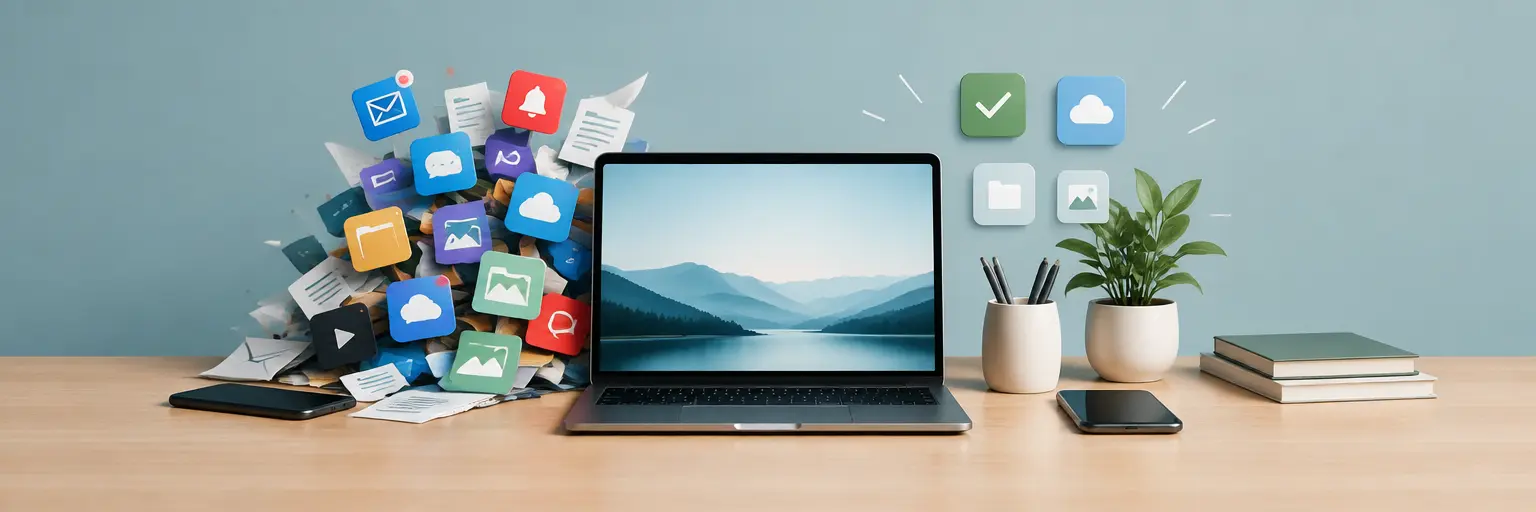
Declutter your digital chaos and reclaim your focus with these game-changing digital minimalism hacks 🧠✨. In a world of endless notifications, cluttered desktops, and overflowing inboxes, digital overwhelm is silently stealing your time and energy. This guide delivers practical, actionable tips to streamline your devices, organize your files, and silence the noise—so you can work smarter, not harder. From unsubscribing ruthlessly to batch-tab cleaning and cloud storage creep, you’ll learn how to build a calm, intentional digital space that boosts productivity and reduces stress. Whether you’re drowning in 10,000 unread emails or tangled in a web of redundant apps, these decluttering strategies help you curate only what adds value. Stop letting your tech own you—start owning your tech. Simplify your digital life, boost your daily efficiency, and unlock mental clarity with these tried-and-true hacks that fit any routine. Your future, less cluttered self will thank you. 🚀📱

😊 Drowning in digital clutter? Learn to organize digital files quickly and easily with these simple, yet powerful techniques. Reclaim your time…
Read article
🤔 Overwhelmed by digital clutter? Discover secure cloud storage solutions that streamline your workflow, boost efficiency, and safeguard your valuable files. Maximize…
Read articleWelcome to your guide for reclaiming control over your digital life. In a world buzzing with notifications, endless files, and cluttered desktops, digital minimalism isn't just a trend—it’s a productivity superpower. This subcategory of Tech & Digital Hacks at UltimateLifeHacks focuses on practical strategies to reduce digital noise, streamline your workflows, and create a calm, efficient virtual environment. Expect actionable advice you can apply today to boost focus, save time, and reduce stress.
Your desktop is your digital command center, but a cluttered one can slow down your brain and your device. Start by removing all shortcuts, stray images, and old downloads from the desktop. Move active projects into a single, clearly named folder like “Active Work” and archive completed ones. Adopt a simple folder hierarchy: Year → Project → Subfolder. Use consistent naming conventions, such as “2025-03-ClientReport,” so sorting becomes effortless.
Implement a weekly 10-minute “desktop detox” ritual. During this time, move all new files to their designated spots, delete duplicates, and empty the trash. This habit prevents buildup and keeps your system responsive. For cloud storage, apply the same logic—create a master folder for receivables, personal, and financials. Remember, a tidy file system reduces search time by up to 30%, directly improving your daily efficiency.
Email overload is a major productivity killer. The Inbox Zero method isn’t about having zero emails; it’s about having zero unresolved emails in your main inbox. Set up three folders: “Action,” “Waiting,” and “Archive.” Process every email once by categorizing it immediately. Unsubscribe from newsletters you never read, and use filters to auto-sort routine messages from banks or social media. This reduces cognitive load and keeps your focus sharp.
Schedule two specific times daily—morning and late afternoon—to check email, rather than reacting to every ping. Turn off desktop notifications to avoid constant interruptions. For urgent matters, use a priority inbox feature if available. By automating and batching, you reclaim roughly 1-2 hours weekly. This digital decluttering move allows you to focus on high-value work, not just message triage.
Your smartphone is a source of endless distraction, but you can tame it with a periodic app audit. Delete apps you haven’t used in the last 30 days—you can always reinstall them. Group remaining apps into categories like “Finance,” “Communication,” and “Health” on one home screen folder. Keep only your top five most-used apps visible; hide the rest in the app library. This alone reduces visual clutter and impulsive checking.
Next, disable all non-essential notifications. For social media and news, turn off badges, sounds, and lock-screen alerts. Keep notifications only for calls, messages from real people, and calendar reminders. Use “Do Not Disturb” during focused work sessions and sleep hours. By implementing these digital minimalism tactics, you’ll notice fewer cravings to pick up your phone, leading to better concentration and less mental fatigue throughout your day.
Cloud storage can quickly become a digital junk drawer. Start by consolidating to one or two providers to avoid scattered files. Audit your existing files: delete duplicates, old screenshots, and outdated versions. Create a clear folder structure—for example, “Documents,” “Media,” and “Archives.” Use tags or color labels if your service supports them. A clean cloud means faster syncing and easier sharing with colleagues or family.
Automate your backups to avoid manual maintenance. Set up scheduled syncs for your Desktop, Documents, and Photos folders to your preferred cloud service. Use version history to protect against accidental overwrites. Consider a “cold storage” folder for files you rarely access but can’t delete. Regularly review your storage quota to ensure you’re not paying for wasted space. This proactive approach to digital organization ensures data safety without the clutter.
Beyond cleaning, digital minimalism is about sustainable habits. Adopt a “one device at a time” policy for personal use. Limit social media to a single daily 20-minute session using a timer. Replace doomscrolling with offline hobbies like reading or walking. Schedule “tech-free” zones in your day, especially during meals and the first hour after waking. These practices train your brain to focus, not just react.
Regularly review your digital subscriptions and uninstall unnecessary apps. Keep your browser bookmarks organized—delete broken or forgotten links. Use a note-taking app to consolidate all to-do lists, instead of scattered sticky apps. By embedding these digital decluttering routines into your life, you’ll experience lower stress, improved sleep, and a clearer mind. Remember, the goal isn’t perfection but intentional usage—you control your tech, not the other way around.
Aim for a quick 15-minute session weekly, focusing on your desktop and downloads folder. Monthly, do a deeper audit of your apps, emails, and cloud storage. Seasonally, review all digital subscriptions and unsubscribes to keep your system lean.
Begin by turning off all unnecessary notifications and clearing your home screen. This immediate visual and behavioral change reduces distraction. Then, tackle one area—like email or files—to avoid feeling overwhelmed.
Absolutely. By reducing clutter and interruptions, you lower cognitive load and improve focus. Faster file retrieval, fewer notification pings, and a streamlined app layout save time, allowing you to allocate more energy to meaningful tasks.
Create an “Action” folder for emails requiring a task, and set a reminder to process them. Alternatively, flag them for follow-up with a date. The key is to not leave them sitting in your main inbox unresolved.
Most cloud services and email platforms have a “Trash” or “Bin” that retains deleted items for 30 days. Additionally, keep regular backups. That way, you can confidently clean without fear—just double-check before permanently emptying trash folders.