Say Goodbye to Spreadsheets: Automate Your Budgeting with These Proven Methods
😊 Ditch the spreadsheet chaos! This article reveals proven methods to automate budget spreadsheets easily, saving you precious time and boosting your…
Read article

Take the stress out of managing your money with personal finance automation—your shortcut to smarter budgeting and effortless expense tracking. By setting up automated systems, you can stop juggling spreadsheets and manual entries, and instead let technology handle the heavy lifting. Whether it’s auto-categorizing transactions, scheduling transfers to savings, or receiving instant alerts on overspending, automation turns chaotic finances into a clear, real-time picture. Ideal for busy professionals and families, this approach saves hours each month while boosting accuracy and accountability. Unlock the power of autopilot budgeting to build healthier habits, avoid late fees, and reach your savings goals faster—all without lifting a finger. Say goodbye to guesswork and hello to financial clarity with just a few smart setups for your accounts, apps, and alerts.
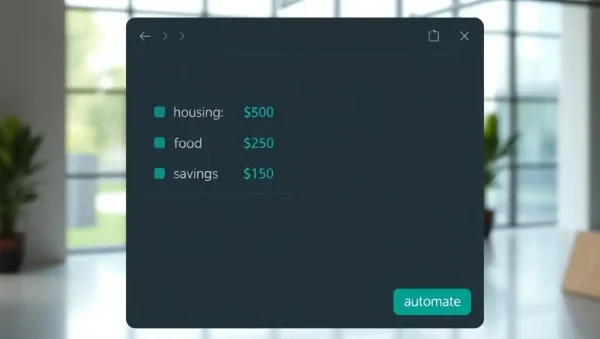
😊 Ditch the spreadsheet chaos! This article reveals proven methods to automate budget spreadsheets easily, saving you precious time and boosting your…
Read article
😊 Stop stressing about finances! This article reveals the secret to effortless financial success: automate personal finances easily with simple, time-saving strategies.…
Read article
😊 Stop stressing about your finances! This article reveals powerful automate budget saving hacks, streamlining your budget management with simple automation tools…
Read articleWelcome to the ultimate guide on personal finance automation, specifically focused on budgeting and expense tracking automation. Here at UltimateLifeHacks, we believe that managing money shouldn’t consume your precious time. Instead, you can set up smart systems that do the heavy lifting for you—from auto-categorizing transactions to generating monthly reports. This subcategory will transform how you view your finances, helping you save hours each month while gaining real-time clarity on your spending habits. Dive in to discover tools, rules, and workflows that turn financial discipline into a hands-free operation.
Manual budgeting often fails because it relies on willpower and memory—two unreliable resources. By automating expense tracking, you eliminate the risk of forgetting a receipt or misplacing a transaction. Automation ensures that every purchase, from your morning coffee to your rent payment, is captured and categorized instantly. This real-time data feeds into your digital budget, allowing you to see your spending patterns without opening a single spreadsheet.
Moreover, automated systems can alert you to anomalies—like an unusually high utility bill—so you can act quickly. This proactive approach shifts your focus from recording history to planning the future. You’ll spend less time on data entry and more time making informed decisions, such as increasing savings contributions or cutting unnecessary subscriptions. Ultimately, automation turns budgeting from a chore into a background process that quietly works for you 24/7.
The market is full of apps that streamline expense tracking, but the best ones offer bank-level integration. Tools like Mint, YNAB (You Need A Budget), and Personal Capital automatically pull transactions from your accounts, classify them into categories, and even sync with your investment accounts. These platforms use machine learning to recognize recurring merchants, so your “Netflix” subscription is tagged as “Entertainment” without any manual input. You can customize rules to override any mistakes, ensuring accuracy over time.
Beyond apps, consider using smart payment methods—such as credit cards with spending insights—which send real-time notifications. Pair these with a dedicated “bills” account that automatically receives a fixed amount from your paycheck each month. This zero-touch approach separates essential fixed costs from discretionary spending, making it nearly impossible to overspend on variable categories. By leveraging these tools, you’ll have a continuously updated, pixel-perfect view of your financial health, ready for review whenever you want.
One of the simplest wins in budgeting automation is automating your savings and bill payments. Start by scheduling recurring transfers to your savings or investment accounts on payday, using the “pay yourself first” principle. Even a small amount like $50 per week compounds quickly, and since it’s automated, you never see the money in your checking account—eliminating temptation. Similarly, set up automatic bill pay for fixed expenses like rent, utilities, and insurance. Most banks offer free bill pay services that send checks electronically, ensuring you never miss a due date.
To avoid overdraft risks, align your bill due dates with your pay schedule—many service providers allow you to change the due date online. Also, enable low-balance alerts via your banking app to receive a text if your account dips below a threshold. This safety net ensures that automation doesn’t lead to accidental debt. By having a clear calendar of what leaves your account when, you can check your balance less frequently, trusting the system to handle the nuts and bolts of your monthly obligations.
A truly automated system doesn’t just record—it also reviews and adjusts. Create a monthly routine where your budgeting tool generates a report of your spending versus your set limits. Many apps, like YNAB, send a weekly digest via email, summarizing your progress. You can also set up rules that automatically move surplus funds to a debt payoff or investment category once you’ve hit a spending cap. For example, if you’ve allocated $400 for groceries and you spend only $320, the tool can transfer the remaining $80 to your vacation fund.
Furthermore, use automated forecasting to project your cash flow for the next 30 days, based on your historical averages and upcoming scheduled bills. This feature helps you anticipate tight periods and make adjustments in advance—like postponing a large purchase. The goal is to turn your monthly financial meeting (which usually takes two hours) into a five-minute check-in. With clear visual dashboards and automatic rollover of unused funds, your budget becomes a living system that adapts to your life without manual intervention.
Real-time alerts are the guardian angels of budgeting automation. Set up push notifications for every transaction above a certain amount, say $50, so you’re instantly aware of big pulls. More advanced tools let you define category limits—for instance, if you exceed your dining budget by 10%, you’ll get a warning. You can also create custom rules, like blocking transactions from specific merchants if you’re trying to break a bad habit (e.g., gambling sites or fast-food chains).
Some banking apps offer virtual card numbers that expire after one use or have a set spending cap, perfect for online subscriptions. Additionally, enable negative balance prevention on your checking account; this automatically cancels pending transactions that would overdraw your account. By combining these alert systems with your spending rules, you create a protective layer that stops problems before they grow. This proactive defense is the key difference between automated budgeting and just using a calculator—it actively protects your financial health.
No—automation removes repetitive tasks, but it enhances your awareness through alerts and reports. You’ll still review your spending weekly, but each review takes minutes because data is pre-sorted and summarized. The key is to schedule a “money check-in” in your calendar, making it a habit, not a chore.
Reputable apps use bank-grade encryption, like 256-bit SSL and read-only access to your accounts. They never store your passwords. To be extra safe, enable two-factor authentication on both your bank and the budgeting app, and monitor your bank statements for any unauthorized transactions.
Automation handles irregular income by using “average” monthly baselines and allowing manual adjustments. For variable expenses, set up envelope budgets within your app, where you allocate a fixed amount each month, and any leftover rolls over automatically. This flexibility makes automation work even with freelancers or commission-based jobs.
Absolutely. Many banks offer built-in expense categorization and spending insights in their mobile apps. You can also set up email parsing scripts (like Zapier) to scrape order receipts from your email and log them into a Google Sheet. This DIY approach works if you prefer not to link third-party services to your accounts.
Over-automating without a safety buffer is a big mistake—keeping a $100 buffer in your checking account prevents overdrafts. Also, failing to review categories quarterly leads to misclassification. Finally, ignoring app updates can break integrations; always update your apps to ensure syncing with your bank’s API works seamlessly.