Stop the Interruptions: Effective Strategies to Minimize Home Office Distractions
😊 Conquer home office chaos! Learn proven strategies to minimize distractions and boost productivity. Reclaim your focus and achieve peak efficiency with…
Read article
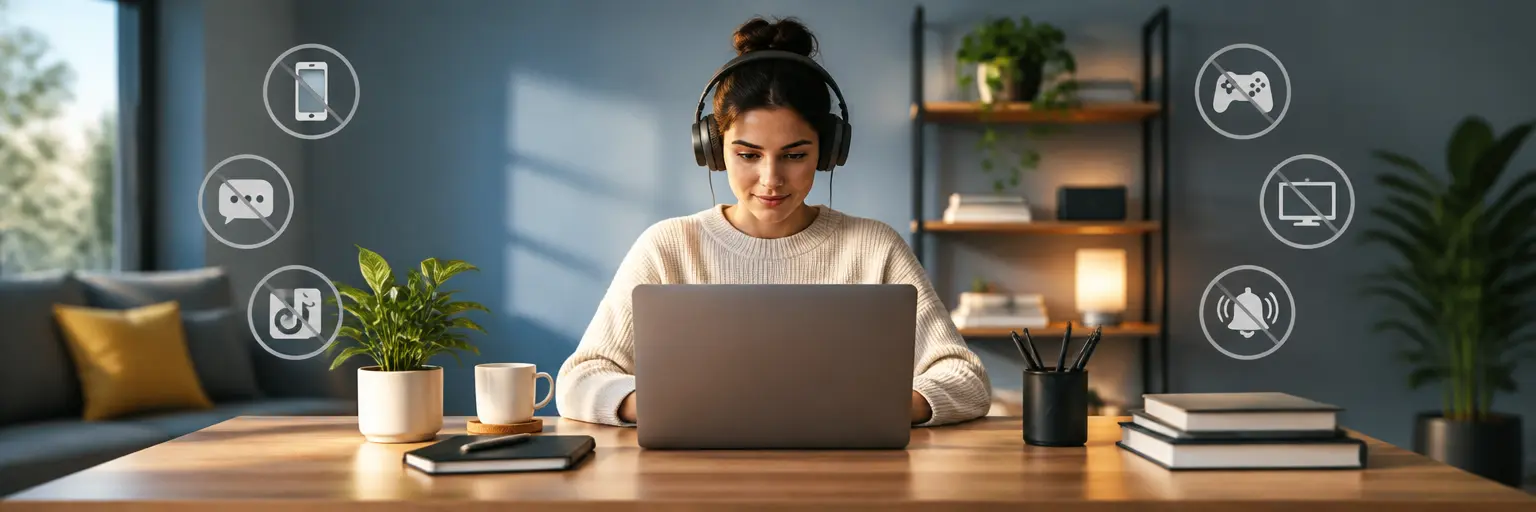
Transform your home office into a distraction-free zone with proven strategies that boost focus and efficiency. From strategic furniture placement to digital decluttering, these practical life hacks help you reclaim your attention, minimize interruptions, and turn your workspace into a productivity powerhouse—perfect for remote workers, freelancers, and anyone tired of fighting for concentration.
😊 Conquer home office chaos! Learn proven strategies to minimize distractions and boost productivity. Reclaim your focus and achieve peak efficiency with…
Read article
😊 Transform your workspace into a productivity powerhouse! Discover expert Quiet home office productivity tips to silence distractions, boost focus, and achieve…
Read article
😊 Transform your chaotic home office into a productivity powerhouse! Learn proven strategies to minimize home office distractions and reclaim your focus,…
Read articleWelcome to the ultimate guide for transforming your home office into a distraction-free fortress of focus. At UltimateLifeHacks, we understand that remote work success hinges on your ability to curate a space that fuels concentration, not chaos. This subcategory dives deep into practical, actionable strategies to silence digital noise, manage household interruptions, and rewire your environment for peak productivity. Whether you're battling a noisy kitchen, a buzzing smartphone, or your own wandering thoughts, these life hacks will help you reclaim your attention and maximize daily output. Let’s turn your corner of the home into a professional-grade command center.
A cluttered desk directly correlates with a cluttered mind—this is a core productivity principle we champion. Start by removing every non-essential item from your immediate work surface, keeping only your computer, a notepad, and a single water bottle. Use drawer organizers or shelf bins to store cables, stationery, and paperwork out of sight. A minimalist "only what you touch daily" policy reduces visual noise, which lowers cognitive load and helps you enter flow states faster. Implement a daily "clean sweep" ritual—spending five minutes at the end of each workday resetting your desk to zero clutter.
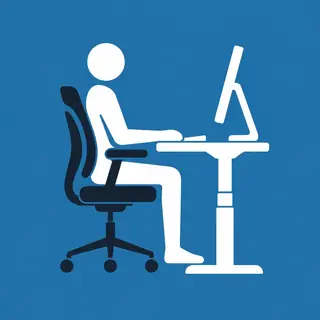
This simple environmental adjustment is among the highest-impact life hacks for remote workers. When your eyes land on clean surfaces, your brain subconsciously signals "work mode," reducing initial resistance to starting tasks. Pair this with a dedicated tray for incoming documents and a "one-touch" filing system to prevent paper mountains. Remember, distractions are often physical triggers—by eliminating tactile temptations like idle gadgets or decorative items that invite daydreaming, you create a sensory environment tuned for deep, uninterrupted work. Prioritize ergonomics too: a tidy space with an adjustable chair and monitor at eye level prevents physical discomfort, another sneaky distraction killer.
Your smartphone and computer are the loudest neighbors in your home office. Start a digital detox by turning off all non-critical push notifications—email, social media, and news alerts—on both your phone and desktop. Use "Do Not Disturb" modes during your deep work blocks, scheduling them to coincide with your peak focus hours. Install browser extensions like StayFocusd or Freedom to temporarily block distracting websites (YouTube, Reddit, or shopping sites) during work sessions. Also, move your phone to another room or a drawer; out of sight truly means out of mind for your dopamine-hungry brain.
Beyond app management, reorganize your digital workspace to minimize context switching. Use desktop folders to segregate project files, and set up a dedicated "distraction-free writing" mode in your word processor. Batch communication: check email only at 11 AM and 3 PM, not constantly. These productivity tips exploit the psychology of "attention residue"—every time you glance at a notification, your brain lingers on it for up to 23 minutes. By drastically reducing digital pings, you protect your cognitive bandwidth for high-value tasks. Also, enable "grayscale mode" on your phone to make apps visually boring, reducing the urge to scroll. Remember, the goal is not to eliminate all tech, but to command your tools rather than obey them.
The biggest home office distractions often have two legs. Establish clear, written "office hours" for your household, posting a visible schedule on the door or using a red/green door hanger to indicate "do not disturb" versus "open for interruptions." Communicate your deep work windows to partners, kids, or roommates, and agree on a signal—like wearing headphones—that means "unless the house is on fire, don't knock." If you share a space, use physical dividers like bookcases or curtains to carve out visual privacy, and schedule "family check-in" moments during your breaks to give them dedicated attention.
This boundary-setting is a critical life hack for sustainable remote work. Without it, you’ll face constant micro-interruptions that fracture your focus and breed resentment. Teach your family that knocking during your "focus window" requires them to write the need down and wait. For parents, create a visual timer for kids—show them when the "red light" turns green, they can ask questions. Also, consider a white noise machine or a fan outside your door to mask household sounds. If you have pets, plan their exercise and feeding times around your peak productivity hours. These strategies transform your home from a passive recipient of interruptions into an intentional collaboration with your loved ones, boosting trust and efficiency.
Not all noise is created equal—some sounds help, others hinder. If your home has unpredictable noises (lawnmowers, neighbors, or street traffic), invest in high-quality noise-canceling headphones or earplugs. Alternatively, use deliberate sound masking: a steady fan, an air purifier, or a dedicated white/brown/pink noise source can create an acoustic blanket that hides intermittent disturbances. For many, curated soundscapes like rainfall, café chatter (via apps like Coffitivity), or lo-fi beats can signal "focus" to the brain and block out real-world chaos. Experiment to find your optimal auditory environment.
The science-backed sweet spot is "barely audible, non-rhythmic" sounds that don’t compete with your internal monologue. Silence can actually exaggerate small noises, so a consistent subtle hum often works better. Use apps like Brown Noise for low-frequency calming, or nature sounds for spatial consistency. If you prefer music, choose instrumental tracks without lyrics—vocals force your language-processing centers to split attention. Keep a "playlist" for each task type: one for deep writing, another for administrative work. Also, invest in a desk-sized soundproofing foam panel if your room has hard surfaces that echo. Ultimately, mastering your soundscape is a top-tier productivity tip that you can control entirely, independent of external factors, granting you a sense of agency over your environment.
Distractions often strike when your mind wanders due to fatigue or lack of structure. Combat this by time-blocking your calendar: allocate 90-minute deep work segments separated by 15-minute mandatory breaks. During breaks, step away from screens—stand, stretch, hydrate, or gaze out a window. Use the Pomodoro Technique (25 minutes focus, 5 minutes break) if you prefer shorter sprints. Critically, schedule your hardest cognitive tasks during your biologically peak alertness window (typically mid-morning for most people). This proactive structure makes it harder to fall into distraction traps because you’re always consciously deciding what to do next.
Additionally, prepare a "daily top 3" list every morning, prioritizing tasks that move the needle. Use a physical notebook or a digital planner to write them down—this creates a visual commitment device. When you feel a distraction urge, execute a "2-minute rule": if it’s a minor task (like grabbing coffee), do it immediately, then return to work. For larger temptations, write them on a "parking lot" notepad to address later. These life hacks turn your day from reactive to proactive, drastically reducing the mental energy lost to deciding "what should I do now?" Also, schedule a "shutdown ritual" at 5 PM—reviewing your completed tasks and planning tomorrow—so your brain leaves work mode cleanly, preventing evening anxiety that bleeds into the next day.
Creating a dedicated, closed-door workspace with zero digital notifications is the highest-impact step. Physically separate work from leisure spaces, turn off all alerts except urgent ones, and schedule deep work blocks during your peak focus hours. This combination tackles both environmental and digital distractions at once.
Use browser blockers like Freedom or StayFocusd to ban distracting sites during work hours. Also, log out of apps and delete them from your phone’s home screen. Place your phone in a different room or inside a drawer. Finally, schedule intentional social media breaks as a reward—for example, 10 minutes after completing each deep work block.
It depends on your brain’s sensitivity. Many people find steady white, pink, or brown noise better than absolute silence because it masks unpredictable sounds like footsteps or doorbell chimes. If you live alone in a quiet area, silence might work fine. Try both for a week and track your task completion rates.
Communicate your work schedule clearly and create a visible signal—like a colored sign on your door. Establish a "waiting system" where interruptions are written down and answered during your break times. For kids, use a countdown timer to show when your focus window ends, and reward them for respecting boundaries.
What are the best free tools to block distracting apps and websites?
Free options include Forest (for phone use), Cold Turkey Blocker (for browsers), and LeechBlock for Firefox/Chrome. Also, enable "Focus Mode" on iOS or "Digital Wellbeing" on Android to limit app usage. For Windows, use "Focus Assist"; on a Mac, try the built-in "Screen Time" restrictions.