Stop Wasting Time: Find the Perfect Online Web Development Course for You
🤔 Overwhelmed by web development course choices? This guide helps you efficiently find the best web development course online, tailored to your…
Read article
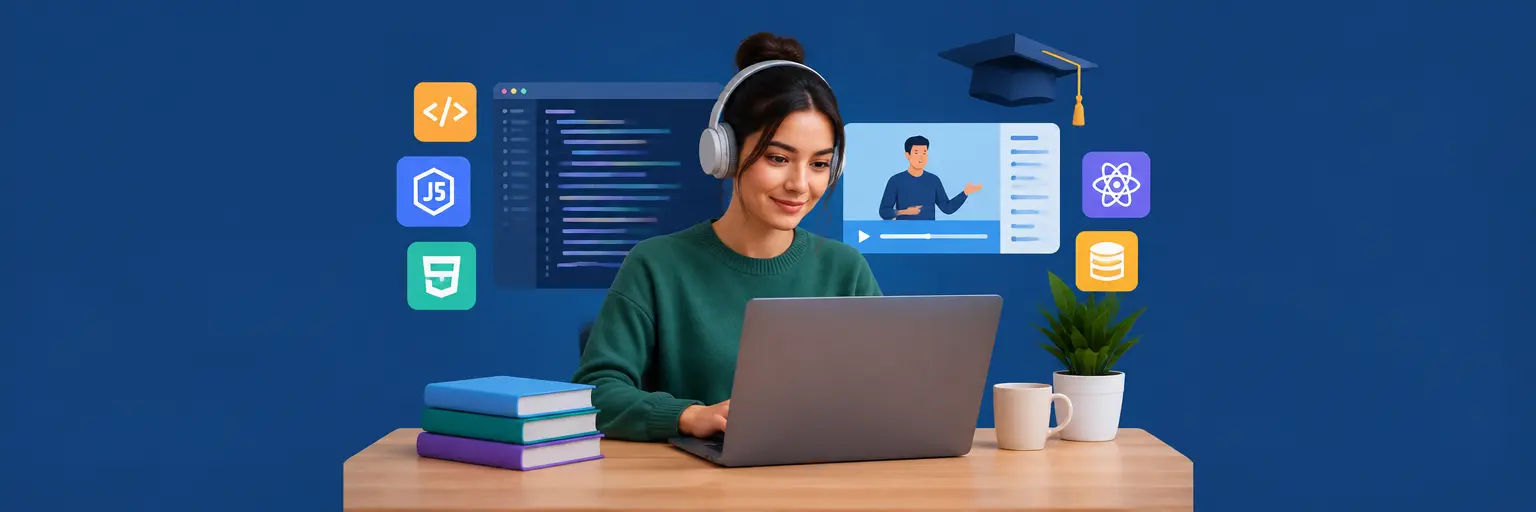
Looking to master web development without leaving your couch? You’ve landed in the right place—because the best online learning platforms for tech skills now offer university-grade courses, interactive coding challenges, and project-based portfolios that rival traditional bootcamps. Whether you’re a total beginner craving step-by-step HTML tutorials or a seasoned coder sharpening JavaScript frameworks, these platforms adapt to your pace, budget, and schedule. From self-paced video libraries to mentor-led live classes, you’ll find flexible pricing, certificate programs, and real-world projects that turn theory into hireable skills. Many even include career support, resume reviews, and job placement assistance, making them a smart investment for career switchers or side-hustlers. With free trials, money-back guarantees, and subscription options, you can test-drive platforms like Coursera, Udemy, freeCodeCamp, or Codecademy before committing. So, ditch the guesswork—this guide reveals exactly where to learn front-end, back-end, and full-stack development efficiently, plus pro tips to stay motivated and avoid burnout.

🤔 Overwhelmed by web development course choices? This guide helps you efficiently find the best web development course online, tailored to your…
Read article
😊 Boost your career and daily efficiency! Learn web dev online efficiently with our guide to mastering in-demand technologies. Stay ahead of…
Read article
😊 Boost your career and save time with our affordable online web development courses. Master in-demand skills through high-quality, budget-friendly training, optimizing…
Read articleMastering web development is one of the highest-ROI skills you can acquire, whether you’re aiming for a career switch, freelancing, or building your own projects. This subcategory zeroes in on online learning platforms that offer structured, high-quality web development courses—from beginner HTML to advanced full-stack frameworks. We’ve filtered out the noise to help you choose the right platform based on cost, depth, community, and practical outcomes. Expect actionable comparisons, insider tips, and time-saving recommendations that align with your productivity goals.
Platforms like Udemy, Coursera, and edX provide entire learning tracks that mimic university curricula or bootcamp intensity. For web development, you’ll find courses covering HTML/CSS, JavaScript, React, Node.js, and database management, often with capstone projects. The key advantage is progressive complexity—you move from fundamentals to deployable applications without jumping between disconnected tutorials. Many offer certificates that add credibility to your resume.
These platforms excel in flexible pacing and lifetime access, making them ideal for busy professionals. Look for courses with instructor Q&A forums and downloadable resources. To save time, filter by “highest rated” and “recently updated,” as web tech evolves quickly. Expect to invest 10-20 hours per module; your reward is a solid, employer-recognized skill set that you can apply immediately to real-world projects.
For learners who prefer learning by doing, platforms like Codecademy, freeCodeCamp, and The Odin Project offer browser-based coding environments. These are perfect for practicing syntax and debugging in real time without configuring your local machine. Courses are structured as mini-challenges, which keeps dopamine high and procrastination low—a true productivity hack. You’ll build portfolio-ready projects like e-commerce sites or API-driven dashboards.
What sets these apart is the instant feedback loop and gamified progression. Many offer badges, streaks, and community forums where you can share work. While depth may be less than university courses, the retention rate is higher because you type every line. Ideal for visual and kinesthetic learners. Use these as your primary tool for JavaScript frameworks or as a supplement to video-based courses for extra practice.
If you’re targeting niche skills like TypeScript, Next.js, or serverless architecture, platforms such as Frontend Masters, Pluralsight, and Egghead.io provide expert-led, deep-dive material. These are created by industry veterans from companies like Google, Netflix, and Stripe. The content is up-to-date and often includes source code, slides, and real-world case studies. Subscriptions unlock entire libraries, so you can bounce between topics to fill knowledge gaps quickly.
The downside is cost—plans can be $30-$50/month. However, for professionals, this is a small investment relative to salary growth. Many platforms offer free trials (7-14 days) which you can use to binge a critical course. Also, watch for annual discounts or employer reimbursement. To maximize value, create a learning roadmap first and target only the courses that fill your specific skill gaps, not the entire catalog.
You don’t need to spend a dime to learn web development. YouTube channels like Traversy Media, The Net Ninja, and freeCodeCamp’s channel offer full-length tutorials. Plus, MDN Web Docs and W3Schools serve as excellent free references. Combining free videos with open-source projects on GitHub replicates a paid bootcamp experience. This approach is perfect for testing your interest before committing money to a comprehensive platform.
The challenge is curating a logical sequence because free content is scattered. Build a playlist in the order: HTML → CSS → JavaScript → framework → backend. Use tools like Google Keep or Notion to track your progress. To stay disciplined, book a fixed daily slot (e.g., 45 minutes) and treat it like a workout. Free resources are great for foundational skills, but for advanced topics, you may eventually need a paid platform.
Let’s decode the value matrix. Udemy charges per course (often $10-$20 on sale) and offers a course completion certificate, but community support is limited to Q&A sections. Coursera charges a monthly subscription (around $49) for degrees and specialization certificates from accredited universities—valuable for formal employers. Codecademy offers a free tier and a Pro plan ($19.99/month) with certificates and real-world projects. Frontend Masters costs $39/month and gives you a certificate but no university accreditation.
For community, freeCodeCamp and The Odin Project have vibrant Discord groups, while Pluralsight provides expert-authored learning paths. Always check if the certificate is recognized by industry bodies like CompTIA or ACI. To get the best ROI, start with free interactive platforms, then upgrade to a specialized subscription once you’re confident in your focus area. Use price tracking sites like CamelCamelCamel to snag Udemy courses at their lowest price.
For beginners, Codecademy or freeCodeCamp are ideal because they offer interactive, step-by-step exercises with immediate feedback. Start with freeCodeCamp’s Responsive Web Design certification—it’s free and covers HTML/CSS deeply. After that, transition to Udemy for a video-based JavaScript course by Jonas Schmedtmann or Colt Steele.
If you dedicate 10-15 hours per week, you can reach job-readiness in 6-9 months. Use a structured path: 2 months for HTML/CSS, 3 months for JavaScript and frameworks, 2 months for backend, and 1-2 months for portfolio building. Combining Frontend Masters for advanced topics with freeCodeCamp for practice accelerates this timeline.
Yes, especially from freeCodeCamp or Google via Coursera, as they demonstrate initiative. However, employers care more about your GitHub portfolio and problem-solving skills. Use certifications as footnotes, not centerpieces. Always pair them with real projects—like a deployed e-commerce site—to prove practical ability.
Absolutely. Channels like Traversy Media and Academind offer complete crash courses. Use a curated playlist and combine with MDN docs. But beware of outdated videos—check upload dates. Also, you’ll miss structured assignments, so replicate them by building clones of popular apps (e.g., a Netflix front-end).
Use the Pomodoro technique—25 minutes focused, 5 minutes break. Set small daily goals (e.g., “build one card component”). Join a study group on Discord or Reddit’s r/learnprogramming. Also, keep a “wins journal” to log every new concept mastered. Reward yourself with a weekly stretch project that uses what you’ve learned.