Mastering Creative Software Online: Unlock Your Digital Potential
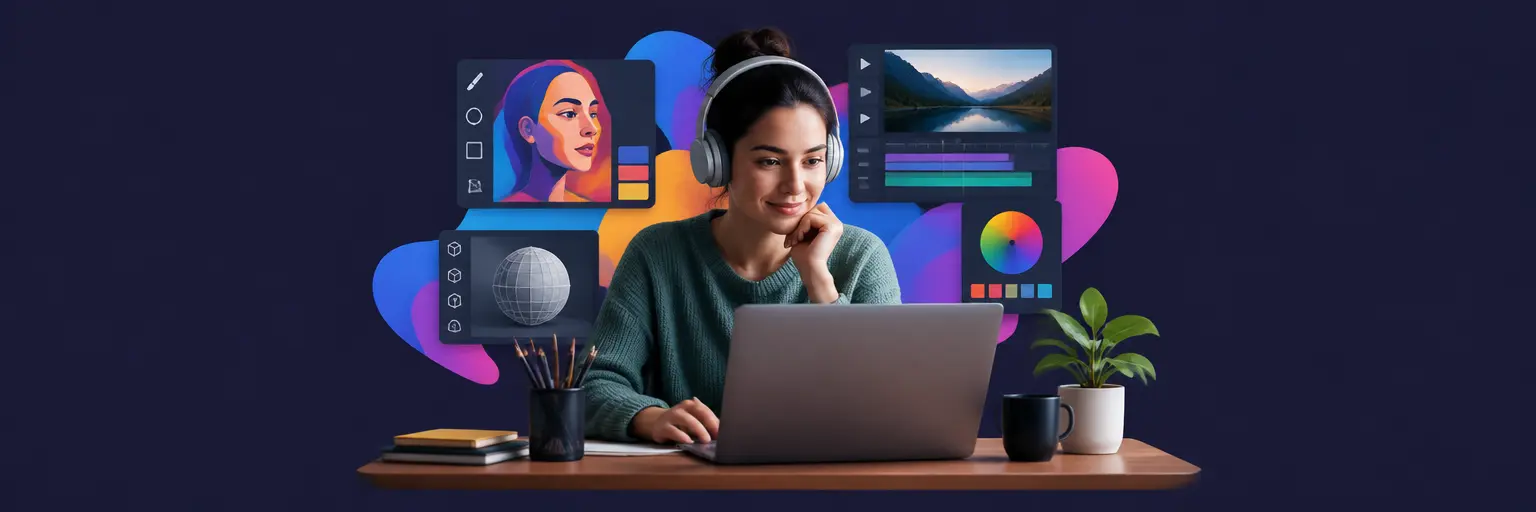
Welcome to the Mastering Creative Software Online subcategory at UltimateLifeHacks—your go-to hub for turning screen time into skill-building time. Whether you’re a busy professional, a freelance designer, or a curious hobbyist, learning creative tools like Photoshop, Premiere Pro, Figma, or Blender can drastically boost your productivity and career prospects. Here, we blend practical life hacks with step-by-step online tutorials, keyboard shortcuts, and workflow optimizations to help you master creative software faster and smarter. Instead of scrolling endlessly through disjointed videos, you’ll find curated, actionable guides that respect your time and accelerate your learning curve.
🎨 Accelerated Learning Paths for Visual Design Tools
Dive into visual design mastery with focused tutorials on Adobe Photoshop, Illustrator, and Canva. We break down complex features into bite-sized workflows—like mastering layers, masks, and vector paths—so you can apply them immediately. Expect pro tips on using templates, automating repetitive tasks, and organizing your assets for speed. This section is tailored for learners who want to skip the fluff and get hands-on with real-world projects, from social media graphics to brand identity kits.
Each guide includes a “hack of the week”—for example, using custom keyboard presets or batch processing to cut editing time by 40%. We also cover free alternatives like GIMP and Inkscape for budget-conscious learners. By focusing on core principles rather than every menu option, you’ll gain confidence to experiment and create professional-quality work without feeling overwhelmed.
🎬 Video Editing & Motion Graphics Efficiency
Master Premiere Pro, After Effects, and DaVinci Resolve with our productivity-first tutorials. You’ll learn timeline shortcuts, color grading presets, and proxy workflows that make 4K editing effortless. We emphasize time-saving hacks—like using multi-cam editing, dynamic linked compositions, and pre-made transitions—so you can finish projects faster without sacrificing quality. Perfect for YouTubers, marketers, and content creators wanting to level up.
Our lessons also cover motion graphics basics: creating lower thirds, animated logos, and kinetic typography. We provide downloadable project files and cheat sheets for every tutorial. With a focus on real deadlines, you’ll practice repurposing existing assets and using AI-assisted tools for auto-reframing. By the end, you’ll feel ready to tackle client work or start your own channel with a streamlined, efficient pipeline.
🖥️ 3D Modeling & Animation Shortcuts
Explore Blender, Maya, and Cinema 4D through a productivity lens. We teach you essential modeling techniques—like box modeling, sculpting, and retopology—using the fewest clicks possible. Our guides highlight add-ons and plugins that automate tedious tasks, plus keyboard shortcut maps to speed up your workflow. Whether creating game assets, product visualizations, or short animations, you’ll learn to navigate complex interfaces with confidence.
Animation lovers will appreciate our rigging and keyframe hacks, including using mirror modifiers and auto-rigging tools. We also cover rendering optimization—saving you hours on final output. Each module includes practice exercises and time-tracking tips to measure your speed improvements. Perfect for beginners who want quick wins and intermediate artists seeking polish without the bloat of traditional courses.
💻 Web Design & Prototyping Tools Mastery
Learn Figma, Webflow, and Sketch for UI/UX design and prototyping. We focus on component libraries, auto-layout, and design systems that slash iteration time. You’ll discover hacks like using variables and plugins to create responsive designs in minutes. Our tutorials also cover collaboration—sharing prototypes, gathering feedback, and handing off to developers seamlessly. Ideal for freelancers and startup founders who need polished web interfaces fast.
Beyond basic tools, we teach practical life hacks like creating reusable color and typography styles, plus using browser extensions to inspect live sites. You’ll also learn to build no-code animations and micro-interactions that wow users. With our step-by-step approach, you’ll move from blank canvas to functional prototype in a single afternoon, streamlining your entire design-to-development process.
🔧 Audio Production & Sound Design Tips
Unlock the power of Audacity, FL Studio, and Logic Pro for podcasting, music, or video soundtracks. We share hacks for noise reduction, compression, and EQ presets that instantly improve audio clarity. Learn to batch-export files, use templates for podcast episodes, and master loudness normalization—without spending hours on manual tweaks. This section is perfect for creators who want professional sound without the steep learning curve.
We also cover sound design basics for video editors: adding foley, ambience, and transitions using free sound libraries. Our guides include time-saving tools like auto-ducking and voice isolation. By applying our workflow optimizations, you’ll cut editing time in half while enhancing listener experience. Whether you’re recording voiceovers or mixing music, these practical hacks will make your audio stand out.
Frequently Asked Questions
What is the fastest way to learn Photoshop for beginners?
Start with essential tools (transform, layer masks, and healing brush) using our 30-minute daily practice plans. Focus on replicating simple tutorials, then gradually add keyboard shortcuts. Use free template files to experiment without fear. Consistency beats marathon sessions—commit to 10–15 minutes per day, and you’ll see noticeable improvement in two weeks.
Can I master creative software without paying for expensive courses?
Absolutely. Our guides prioritize free tools like GIMP, Blender, and DaVinci Resolve, plus YouTube channels and official documentation. We provide curated free resources, downloadable project files, and community forums. The key is to follow structured paths we outline, so you avoid scattered learning. You can achieve professional results with dedication and zero cost.
How do I remember all the shortcuts and workflows?
Create a personal cheat sheet with only the top 20 shortcuts for your most-used tool. Use browser extensions like “ShortcutMapper” to visualize them. Practice with real projects—like editing a podcast or designing a logo—to reinforce muscle memory. And revisit our guides monthly to refresh and learn new hacks. Repetition is your best friend.
Are there any life hacks to speed up rendering or exporting in video editors?
Yes: always use proxy files for 4K footage, set preview to lower resolution during editing, and render only the frames you need for previews. Use GPU acceleration if available, and close background apps. For final exports, use presets like Vimeo 1080p, then batch export multiple clips via watch folders. These tweaks can cut render time by 50%.
What is the best way to stay motivated while learning creative software online?
Set small weekly goals—like creating one finished asset or short animation. Join online challenges (e.g., #30DayBlender) and share progress for accountability. Pair learning with relaxing activities, like using Pomodoro timers with short breaks. Our curated playlists and step-by-step checklists break tasks into wins, so you always feel progress. Remember: mastery is a ladder, not a leap.