Unlock Your Creative Potential with Targeted Productivity Hacks for Creatives
For artists, writers, designers, and musicians, the traditional productivity advice often falls flat. That’s because creative work thrives on inspiration, flow, and emotional energy—not just rigid checklists. In this subcategory, we dive into productivity hacks for creatives that respect your unique process. You’ll discover how to manage mental energy, protect deep focus, and turn chaotic inspiration into consistent output without killing your passion. Whether you’re a freelancer juggling multiple clients or a hobbyist seeking more time to create, these strategies are tailored to help you work smarter, not harder.
🎨 Mastering Deep Work and Flow State for Creative Projects
Creative productivity hinges on entering a flow state—that elusive zone where time disappears and ideas pour out effortlessly. To harness this, you must design your environment and schedule around your natural rhythms. Start by identifying your peak creative hours (often morning or late night) and block them off as non-negotiable “deep work” sessions. Use the Pomodoro Technique in longer intervals (50 minutes work, 10 minutes rest) to sustain concentration without burnout.
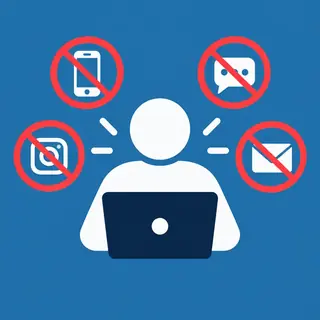
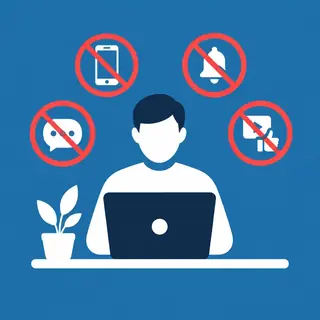
Another key hack is to pre-load your triggers. Before ending a session, write down the next concrete step or sketch a rough outline. This reduces the friction of starting anew. Also, eliminate digital distractions by using tools like website blockers or leaving your phone in another room. Remember, your brain needs a warm-up—try freewriting or sketching for five minutes to prime the pump. By intentionally cultivating flow, you’ll produce higher-quality work in less time and feel more fulfilled.
🎬 Overcoming Creative Blocks with Structured Breaks and Rituals
Creative blocks are inevitable, but they don’t have to halt your productivity. One effective hack is the “micro-break” ritual—every 45 minutes, step away from your desk to stretch, take a walk, or do a quick meditation. This resets your neural pathways and often sparks fresh ideas. Additionally, implement a daily warm-up like doodling, journaling, or playing an instrument for 10 minutes before tackling a major project. This signals to your brain that it’s time to create, not just consume.
For longer blocks, try the “change of scenery” method. Move to a café, park, or even a different room in your home. Novel environments stimulate divergent thinking. You can also use a negative space technique: deliberately force yourself to write or draw something “bad” for five minutes. Lowering your standards helps you bypass the inner critic. Pair these hacks with a clear trigger-action plan—e.g., “when I feel stuck, I’ll switch to a different creative medium for 15 minutes.” This cognitive pivot often unlocks the solution you were missing.
📅 Time-Blocking and Energy Management for Multidisciplinary Artists
If you juggle multiple creative disciplines—like graphic design plus painting plus writing—time-blocking becomes your best friend. Instead of weekly to-do lists, create a visual weekly grid where each day has a specific focus (e.g., Monday: illustration, Tuesday: client work). Within each block, assign a single task and a clear time limit. This prevents the overwhelm of multitasking, which actually drains your creative energy. Use apps like Notion or Trello to track your blocks and set reminders.
Energy management is just as critical as time management. Match tasks to your energy levels: do high-cognitive work (e.g., concept development) during your peak hours and low-energy tasks (e.g., admin, email, file organization) during slumps. Also, schedule “buffer zones” between blocks to handle unexpected delays. For creatives, it’s vital to include “incubation time”—periods where you do nothing related to the project but let your subconscious work. This could be a walk, a shower, or a nap. By respecting your energy cycles, you’ll avoid burnout and sustain long-term creativity.
🗂️ Streamlining Asset Organization and Project Management for Creatives
Messy file systems and scattered notes kill creative momentum. Implement a centralized digital workspace—use a tool like Notion, Milanote, or a simple folder structure with consistent naming conventions (e.g., “Client_Project_VersionDate”). Tag your assets with keywords so you can search instantly instead of clicking through thousands of files. For physical items, use clear bins and labeled shelves in your studio or desk area. The rule of thumb: if it takes more than 30 seconds to find something, your system needs improvement.
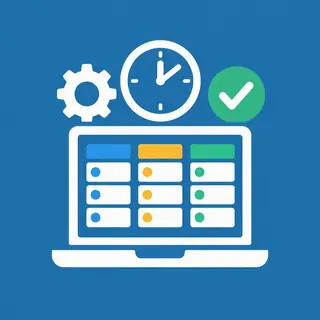
Project management for creatives should be flexible yet clear. Use a visual Kanban board (Trello or a physical board) with columns like “Idea,” “In Progress,” “Review,” and “Done.” This gives you a quick overview without rigid deadlines. For each project, create a “project brief” that includes the goal, constraints, and inspiration links—this reduces decision fatigue later. Also, batch similar tasks (e.g., all photo editing on Thursday) to minimize context switching. By streamlining your workflow, you’ll save hours each week and keep your creative energy for what matters: making stuff.
💡 Automating Repetitive Admin Work to Free Up Creative Time
Creative professionals waste significant time on administrative tasks like invoicing, scheduling, and social media posting. Automate these with Zapier or IFTTT to connect your apps. For example, set up a workflow that automatically saves email attachments to your cloud drive, or schedules your Instagram posts via tools like Later or Buffer. Use calendar booking links (Calendly) to eliminate back-and-forth emails about meetings. These small automations can reclaim 5-10 hours per month, which you can reinvest into your craft.
Another powerful hack is to batch your communication. Set specific times of day (e.g., 10 AM and 4 PM) to check emails and DMs, and use pre-written templates for common replies like price quotes or project updates. For repetitive design tasks, create master templates in Photoshop or Illustrator that you can duplicate and tweak. Similarly, use keyboard shortcuts and macros in your creative software to speed up actions. Even saving passwords in a manager reduces friction. The goal is to make your workflow as frictionless as possible so you can spend more time in a state of creation—not administration.
Frequently Asked Questions
How do I maintain productivity without feeling like I’m forcing creativity?
Focus on setting up systems that invite creativity rather than command it. Start each session with a 5-minute warm-up, use timed blocks with breaks, and keep a “trigger list” of prompts. Don’t force output—instead, create a supportive environment where ideas can emerge naturally, and treat lower-output days as part of the cycle.
What’s the best app for time-blocking for creatives?
Notion is highly flexible with templates for visual time-blocking, while Toggl Track helps monitor actual time spent. For a simpler approach, Google Calendar with color-coded blocks works well. Choose one that suits your style; the key is consistency, not the tool itself.
Can productivity hacks really help with creative blocks?
Yes, but indirectly. Hacks like structured breaks, changing environments, and warm-up rituals lower the barrier to start and reduce perfectionism. They don’t magically erase blocks but create conditions where your brain is more likely to generate ideas, reducing the duration and frequency of blocks.
How do I handle multiple creative projects without getting overwhelmed?
Use the “rule of three”: each day, pick only three main creative tasks to complete. Assign each project a dedicated day or half-day in your week. Keep a “parking lot” list for ideas you’re not actively working on. This prevents overwhelm and provides clarity, allowing you to dive deeper into each project.
What’s the quickest way to automate admin tasks if I’m not tech-savvy?
Start with one tool at a time. Use Calendly for scheduling and Canva’s scheduled social media feature for posting. For invoicing, try FreshBooks or Wave with automatic recurring invoices. Learn simple Zapier rules—like “if new email attachment, then save to Dropbox.” You can also hire a virtual assistant part-time to handle admin, which often costs less than you think.