Remote Work Doesn't Have to Be Hard: Easy Hacks for a Productive Day
😊 Conquer remote work chaos! This article unveils easy remote work productivity hacks to boost your efficiency. Discover simple strategies for a…
Read article

Unlock your full potential as a remote worker with game-changing productivity hacks designed to crush distractions, master time management, and boost focus from anywhere. Whether you’re juggling Zoom calls, deep work, or household chaos, these remote work efficiency tips turn scattered schedules into seamless workflows. From smart digital detoxes and virtual office rituals to energy-mapping techniques and asynchronous communication strategies, you’ll learn to reclaim hours daily, reduce burnout, and elevate output—without sacrificing work-life balance. Perfect for freelancers, digital nomads, and hybrid teams, these actionable insights adapt to your unique rhythm, helping you stay laser-focused and consistently productive. Say goodbye to procrastination and hello to a streamlined, high-performance remote lifestyle.
😊 Conquer remote work chaos! This article unveils easy remote work productivity hacks to boost your efficiency. Discover simple strategies for a…
Read article
😊 Conquer the challenges of remote work with our expert productivity hacks! This guide reveals time-saving strategies and essential tools to boost…
Read articleWorking remotely offers freedom, but it also brings unique distractions, isolation, and boundary-blurring challenges. This subcategory delivers actionable, profession-specific productivity hacks tailored for remote workers—from freelancers to full-time telecommuters. You’ll discover strategies to manage your time, energy, and digital tools so you can achieve deep focus, maintain work-life balance, and deliver high-quality results without burnout. Each hack is practical, tested, and ready to implement immediately.
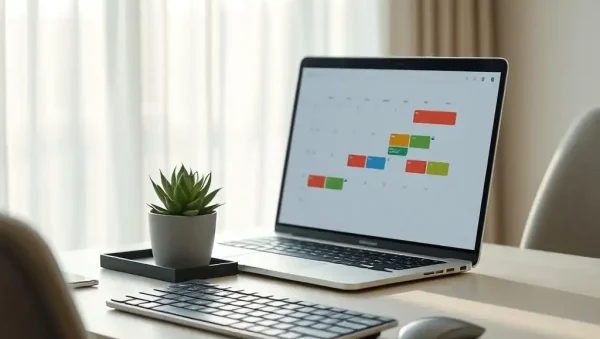
Remote work often fractures your day across meetings, emails, and deep tasks. Time-blocking helps you reclaim control by scheduling dedicated chunks for specific activities. Use tools like Google Calendar or Notion to color-code “focus blocks,” “admin time,” and “meeting windows.” Sync your blocks with your team’s availability using shared calendars, and set clear “do not disturb” statuses. This method reduces task-switching costs and increases your output per hour.
For best results, start with a 90-minute deep work block each morning—when your willpower is highest. Then, schedule smaller 30-minute blocks for emails and quick responses. Avoid overloading your calendar; leave buffer time between blocks for unexpected requests. Over time, you’ll notice fewer interruptions and a sharper mental state. Experiment with “theme days” (e.g., Monday for planning, Friday for reviews) to match your energy cycles.
Your physical workspace directly impacts cognitive performance. A messy or uncomfortable setup drains energy and invites procrastination. Invest in an ergonomic chair, a standing desk converter, and proper lighting—preferably near a window. Keep your desk surface clear except for essentials: laptop, water, notepad, and noise-canceling headphones. Use cable organizers to reduce visual clutter, and add a plant or artwork that boosts mood without distracting.
Also, define a “trigger zone” for work—a specific corner or room that your brain associates with productivity. If you live in a small space, use a room divider or a distinct desk lamp. Physical boundaries help you “switch off” after work, preventing the dreaded always-on mindset. Regularly declutter your digital desktop too; rename files, close unused tabs, and use a secondary monitor to keep your main screen focused on one task.
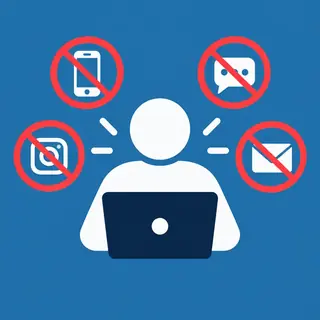
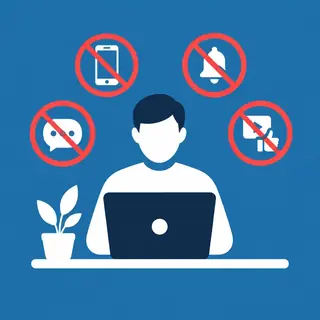
Distraction is the #1 killer of remote productivity. Push notifications from Slack, email, and social media fragment your attention every 5–10 minutes. Implement batch notification reviews: turn off all non-urgent alerts, and check messages only at set times (e.g., 10 AM, 2 PM, 4 PM). Use “Focus Assist” or “Do Not Disturb” modes during deep work. For urgent matters, instruct your team to call you directly—but decide what’s truly urgent in advance.
Beyond silencing devices, practice single-tasking with a visible timer (e.g., Pomodoro). Work for 25 minutes, rest for 5, and after four cycles take a longer break. Track your distraction triggers for one week; you’ll likely see patterns (e.g., checking news after difficult tasks). Replace those impulses with a “parking lot” note—write down intrusive thoughts to handle later. This habit builds neural pathways for sustained attention.
Remote workers often feel isolated or overworked because boundaries vanish. Combat burnout by scheduling micro-breaks every 90 minutes—stand, stretch, or walk outside for 5 minutes. Use a “start and end ritual” to mentally clock in and out: for example, a morning coffee ritual to begin and a 10-minute shutdown checklist to close your day. This signals your brain to transition between work and personal life.
Additionally, intentional social connection is crucial. Join virtual coworking sessions, schedule non-work video chats with colleagues, or use platforms like Focusmate. Share your working hours in your team’s calendar to manage expectations. If you feel overwhelmed, practice the “3-3-3 method”: list three tasks to complete, three people to connect with, and three wellbeing actions (e.g., hydration, movement, reading). This keeps you grounded and prevents spiraling.
Smart tool usage can save you hours weekly. Learn to automate repetitive tasks using Zapier or IFTTT—for example, auto-forwarding email attachments to cloud storage or creating tasks from Slack mentions. Use project management tools like Trello or Asana to visualize progress. For document collaboration, switch to cloud-native apps like Google Workspace or Notion, which allow real-time edits and version history, eliminating endless email threads.
Also, master keyboard shortcuts for your most-used apps (e.g., Ctrl+Shift+T to reopen tabs, or “/” in Slack to search). Use text expanders like TextExpander for frequent responses. Critically, set a “tool audit” monthly—unsubscribe from unused apps and notifications. Remember: automation should reduce cognitive load, not add complexity. Test one new integration per week, and retire any that don’t save at least 15 minutes daily.
Use physical barriers like closed doors or headphones, but also communicate your work schedule clearly. Establish “do not disturb” signals (e.g., a red sticky note) and agree on quiet times. Plan your deep work during hours when others are less active. If needed, book a local coworking space for critical deadlines—sometimes a change of scenery boosts focus.
Most people have peak alertness within 2–3 hours after waking. Schedule your most demanding tasks then, unless your team requires synchronous collaboration. If you’re a night owl, protect late-morning or early-afternoon blocks instead. Use an energy tracker to observe your personal patterns, then align your calendar accordingly—consistency matters more than perfection.
Yes, because remote work lacks natural structure and social cues. You must create your own boundaries, manage digital distractions, and combat isolation. In-office staff can rely on managers and nearby colleagues for reminders, but remote workers need self-imposed routines, communication protocols, and proactive mental health habits. However, core techniques like time-blocking and deep work apply to both.
Absolutely, but start small. Begin with a single repetitive task—like backing up files or sorting emails—using templates from Zapier. Most tools have drag-and-drop interfaces and free tiers. Watch a 10-minute tutorial, then implement. As you grow comfortable, add more complex workflows. The initial investment pays off quickly, often saving several hours per month within the first week.
Schedule virtual coffee breaks with colleagues using a shared calendar. Join online communities for your profession, or participate in daily “deep work sprints” on platforms like Focusmate. Also, mix work with social micro-actions: take a short walk while on a low-engagement call, or join a lunch-and-learn session. Remember, isolation is manageable by intentional connection—not constant messaging.