NextLevel Audio: How Smart Sound Systems Enhance Your Daily Life
😊 Transform your daily routine with smart sound system life hacks. NextLevel Audio reveals how intelligent sound systems boost productivity, enhance focus,…
Read article
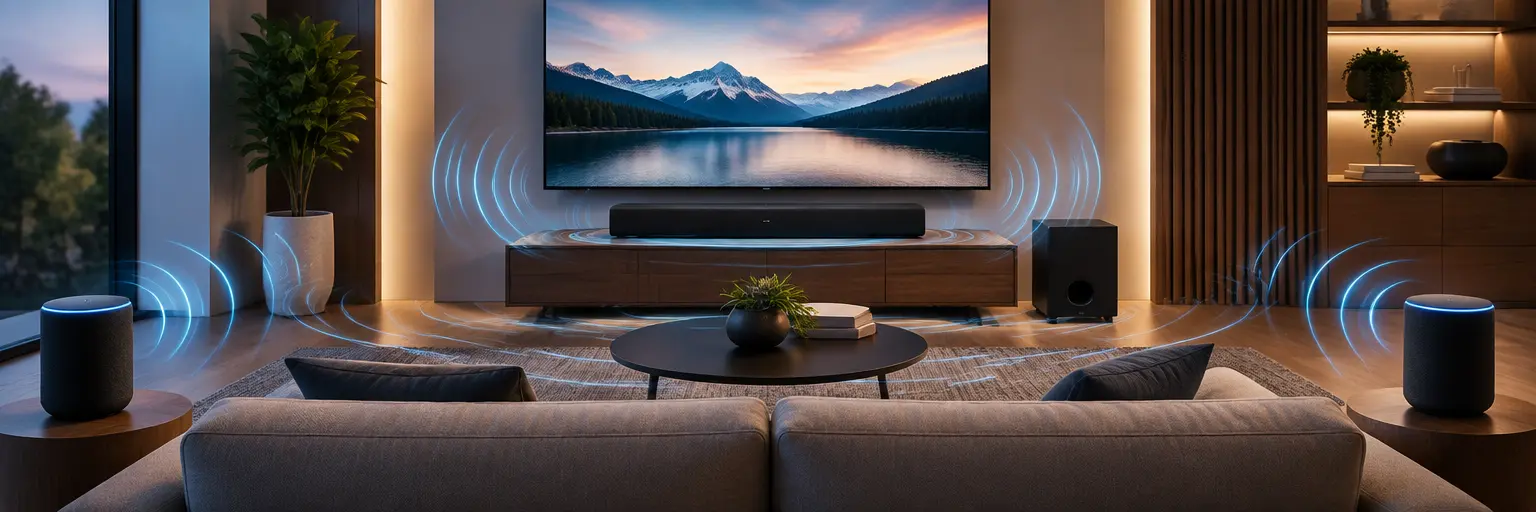
Transform your living space into a cinematic sanctuary with smart sound systems—the ultimate fusion of immersive audio and effortless convenience. Whether you’re streaming your favorite playlist, hosting a movie night, or simply elevating daily routines, these intelligent speakers adapt to your room’s acoustics and sync seamlessly with voice assistants like Alexa or Google Assistant. From multi-room audio that follows you around the house to crystal-clear dialogue enhancement for late-night binge-watching, a smart sound system isn’t just an upgrade—it’s a lifestyle optimizer. Discover how wireless connectivity, app-based controls, and energy-efficient smart features can save you time and keep your entertainment setup clutter-free. Perfect for productivity-focused homes, these systems automate volume adjustments, create personalized sound profiles, and even integrate with your security ecosystem for a truly connected living experience. Ready to hear the difference? Dive in and find the perfect audio companion for your smart home.
😊 Transform your daily routine with smart sound system life hacks. NextLevel Audio reveals how intelligent sound systems boost productivity, enhance focus,…
Read article
😊 Upgrade your home audio without breaking the bank! This guide reveals surprisingly affordable options for a cheap home audio system setup…
Read articleTransform your living space into a cinematic and immersive audio haven with smart sound systems. As part of UltimateLifeHacks’ Smart Home & Security category, this subcategory focuses on practical, efficiency-driven ways to upgrade your daily listening experience. Whether you’re streaming music, watching movies, or hosting gatherings, smart speakers and soundbars simplify control, automate routines, and deliver premium acoustics—without the clutter of wires or complicated setups. Discover how to choose, install, and optimize sound systems that save time and elevate every moment.
Selecting the perfect smart speaker depends on room size, audio quality, and your preferred voice assistant. For compact spaces like kitchens or bedrooms, a small smart speaker with 360-degree sound (e.g., Echo Dot or HomePod Mini) offers clear audio and hands-free control. Larger living rooms benefit from premium models like Sonos One or Apple HomePod, which provide richer bass and room-filling sound. Consider compatibility with your existing smart home ecosystem—Alexa, Google Assistant, or Siri—to streamline voice commands and automate routines.
Key tip: Use the “pair stereo” feature on many smart speakers to create a wider soundstage without buying a soundbar. Also, check for built-in Zigbee or Matter support to control lights and thermostats directly from your speaker, saving you the cost of extra hubs. This integration reduces setup time and enhances daily efficiency, aligning perfectly with a productivity-focused lifestyle.
For movie lovers, a smart soundbar with built-in virtual surround (e.g., Sonos Arc or Samsung Q-Series) delivers cinematic audio with minimal setup—just one HDMI cable. This is ideal for renters or minimalists who want big sound without running wires through walls. In contrast, a full wireless surround system (like the Bose Smart Soundbar 900 with rear speakers) offers true multi-directional immersion but requires more placement planning and occasional battery management.
From a time-saving perspective, soundbars with auto-calibration (e.g., room correction via microphone) adjust EQ settings automatically, removing manual tuning guesswork. Pair your soundbar with a smart subwoofer to enhance bass for action scenes or music playlists. This plug-and-play approach lets you spend more time enjoying content and less time fiddling with audio settings—an ultimate life hack for home cinema.
Imagine starting a playlist in the kitchen and having it follow you to the living room or patio without lifting a finger. Multi-room audio systems from Sonos, Amazon, or Google use the same Wi-Fi network to play synchronized or independent tracks across different zones. With the app on your phone, you can group speakers, adjust volume per room, or set alarms—all from one dashboard. This feature is perfect for busy households where family members want different audio in separate spaces simultaneously.
To optimize workflow, schedule smart routines: for example, “Good Morning” triggers news podcasts in the kitchen and gentle jazz in the bathroom at 7 AM. Voice commands like “play everywhere” instantly broadcast across all speakers, saving you from manually syncing devices. This not only reduces daily friction but also enhances home security by allowing you to broadcast alerts or listen for unusual sounds from any room via the speaker’s microphone.
Setting up a smart audio network is simpler than ever, but a weak Wi-Fi signal can ruin audio streaming. Place your router centrally and use a mesh system (e.g., Eero or Google Nest) to ensure every speaker maintains a stable connection. Most smart speakers use 2.4GHz for range and 5GHz for speed—enable band steering to let devices choose the best frequency automatically. Also, position speakers at least 1-2 feet from walls and away from metal objects to reduce interference.
For hassle-free installation, use the manufacturer’s app’s guided setup, which typically connects to Wi-Fi and verifies updates in under ten minutes. For advanced users, Ethernet adapters (available for Sonos) provide a wired backbone, reducing latency for multi-room playback. After setup, run a quick audio calibration using the app’s microphone to adjust for room acoustics, ensuring you get the best sound with zero manual tuning—a true time-saving hack.
Unlock the true potential of smart sound systems by integrating them into your existing automation routines. With voice assistants, you can control playback, volume, and input without touching a remote or app. For example, say “Alexa, play my focus playlist on ‘Office Speaker’” to instantly start a productivity soundtrack. You can also create routines that pause music when the doorbell rings or lower the volume during smart home security alerts—enhancing safety and convenience simultaneously.
To maximize efficiency, pair your sound system with motion sensors or smart displays: when you enter the room, music starts automatically based on your previously chosen settings. For bedtime, a “Sleep” routine can fade the volume and turn off all speakers after 30 minutes. These voice-driven automations cut out manual steps, giving you more time to focus on what truly matters, whether that’s work, relaxation, or family interaction.
Smart audio devices receive firmware updates that improve sound quality, add new features, and patch security vulnerabilities. Set periodic checks—typically every month—via the companion app to ensure all speakers are up to date. Also, clean speaker grilles with a soft brush to prevent dust buildup, which can muffle audio over time. If a speaker becomes unresponsive, a simple power cycle (unplug for 10 seconds) resolves most connectivity issues without calling support.
To extend the lifespan, use surge protectors for your tuner and speakers, and avoid exposing them to extreme humidity or direct sunlight. Many systems offer voice diagnostics, like “Alexa, run a sound test,” which identifies hardware faults instantly. By scheduling maintenance reminders in your calendar app, you can keep your investment performing optimally for years—reducing the need for costly replacements and ensuring your smart home remains efficient and reliable.
Yes, but with limitations. Most brands (e.g., Sonos, Amazon, Google) have proprietary ecosystems, so mixing brands may require using a third-party app like AirPlay 2 or Chromecast. For the most seamless experience, stick to one ecosystem. However, you can still group speakers that support the same streaming protocol, like Spotify Connect or DLNA, to sync audio across brands without major hassles.
Basic playback from your phone via Bluetooth or direct AUX input will work offline, but most smart features—voice assistants, multi-room grouping, and streaming services—require a Wi-Fi connection. For uninterrupted use during outages, download local music files to your phone or use a speaker with an offline mode. Also, some systems allow LAN-only playback if your router is still active but the internet is down.
Use the physical mute button on the speaker to disable microphones instantly. In the companion app, you can also review and delete voice recordings, and adjust privacy settings like “wake word history.” For extra security, set a voice match (e.g., only your voice triggers commands) and disable “Drop In” features. Many systems also have a hardware hard-off switch for complete privacy.
Place speakers at ear level when seated, ideally 6-10 feet apart for stereo imaging. Avoid corners and walls within 2 feet to prevent bass boom. For soundbars, position them centered below or above the TV screen at ear height. Use the room correction tool in your speaker’s app to automatically adjust EQ settings based on your room’s dimensions—this is faster and more accurate than manual trial-and-error.
Absolutely. Many smart speakers integrate with security systems—for example, Alexa Guard can detect smoke alarms, carbon monoxide, or glass break sounds and send alerts to your phone. You can also use speakers as intercoms to talk to front-door visitors via a video doorbell. Additionally, schedule loud music playback when you’re away to simulate occupancy, deterring potential intruders while you’re out.