Smart Home Security Systems: The Key to a StressFree Life
😊 Reclaim your peace of mind! Smart home security systems offer unparalleled protection, simplifying your life and eliminating security stress. Enjoy a…
Read article
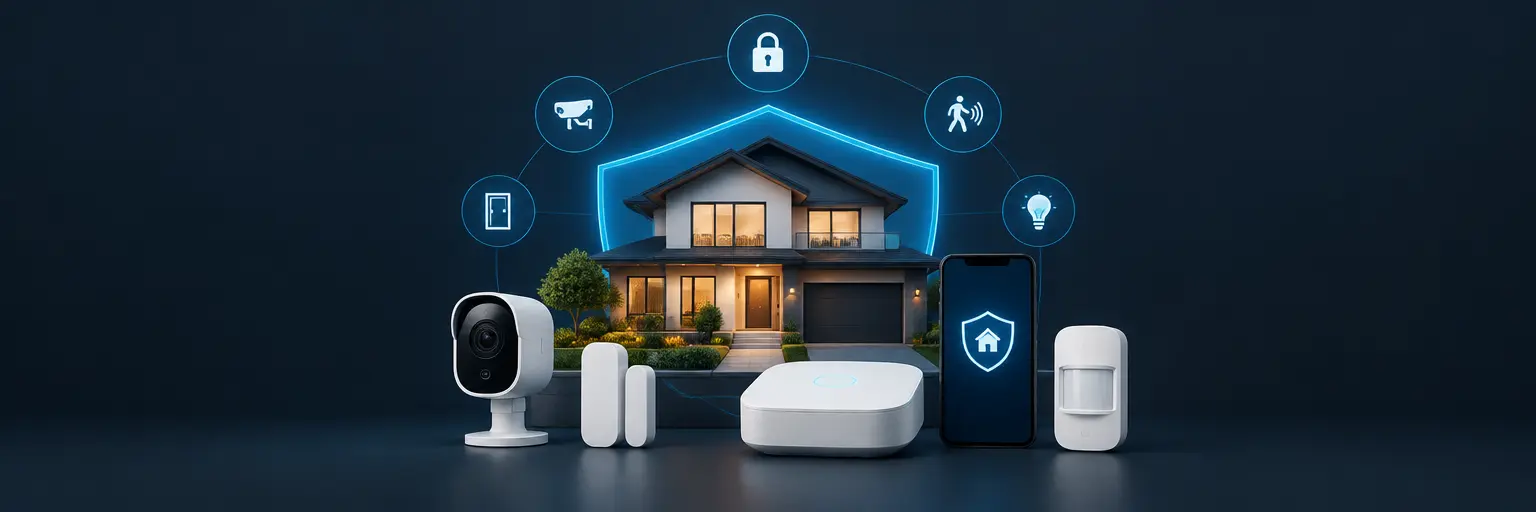
Transform your home into a fortress of convenience and peace of mind with cutting-edge smart security systems that seamlessly blend into your daily routine. From real-time motion alerts and crystal-clear HD video feeds to voice-controlled locks and automated lighting schedules, these intelligent solutions let you monitor and manage your property from anywhere—even while sipping coffee. Save time with one-tap arming, smart geofencing, and energy-saving integrations that optimize your home’s efficiency. Whether you’re a busy professional craving remote oversight or a parent wanting instant alerts on kids’ arrivals, these systems offer scalable, budget-friendly upgrades that boost safety without adding clutter to your day. Dive into the future of living where security meets simplicity—your ultimate life hack for a smarter, safer, and more streamlined home.

😊 Reclaim your peace of mind! Smart home security systems offer unparalleled protection, simplifying your life and eliminating security stress. Enjoy a…
Read article
🛡️ Boost your home's security and reclaim your precious time with our expert guide. We delve into the best smart home security…
Read article
😊 Stop worrying about home security! Automate home security systems to boost your peace of mind and reclaim precious time. Smart locks,…
Read article
🤔 Smart home convenience shouldn't compromise safety. Learn how to mitigate smart home security risks and protect your digital life with simple,…
Read article
🤔 Optimize your home security with strategic smart home sensor placement. This guide reveals the best locations for maximizing detection and minimizing…
Read article
🤔 Boost home security and reclaim your time with smart home security camera tips. Strategic placement, app integration, and proactive monitoring maximize…
Read article
😊 Boost your family's safety and peace of mind with smart home security. This smart home security family investment offers unparalleled protection…
Read articleWelcome to UltimateLifeHacks’ dedicated guide to smart home security systems—the intersection of home safety and everyday efficiency. Here, we focus on how integrating intelligent cameras, sensors, and automation into your living space can save you time, reduce mental clutter, and streamline your daily routine, all while providing robust protection. From DIY installs to voice-controlled locks, this subcategory reveals practical life hacks that turn your home into a proactive guardian, not just a passive shelter. Discover how to optimize your security setup without sacrificing convenience, and learn to manage alerts, schedules, and smart integrations like a pro.
Understanding the building blocks of a smart security system is your first productivity booster. Instead of juggling dozens of devices blindly, you’ll learn which core components—like motion sensors, door/window contacts, and indoor/outdoor cameras—deliver the highest value for your unique floorplan. This knowledge cuts down on decision fatigue and helps you avoid overbuying, saving both money and setup time.
We’ll also demystify the smart hub versus standalone gadgets. A hub can centralize control, letting you arm or disarm everything from a single app or voice command, which drastically reduces morning and bedtime friction. For renters or minimalists, we highlight battery-powered, Wi-Fi-only options that require no drilling, making installation a quick weekend hack rather than a professional ordeal. Focus on essentials first, then expand based on real habits.
The true life hack is letting your security system work without you thinking about it. By setting geofencing triggers, your system can automatically arm when you leave for work and disarm when you return—eliminating that nagging “Did I lock the door?” anxiety. We’ll show you step-by-step how to configure these routines in Alexa, Google Home, or your provider’s app, turning a manual chore into a zero-effort background task.
Additionally, you can link lights or plugs to motion sensors for “welcome-home” or “arrival” scenes, which simultaneously brighten your entryway and disarm your alarm. This synergy saves extra seconds each time you enter, plus deters intruders by simulating occupancy when you’re away. We also cover voice shortcuts like “Hey Google, I’m leaving” to set multiple devices at once—a classic productivity win for busy households.
Adopting smart security shouldn’t mean sacrificing your personal data. In this section, we debunk common privacy pitfalls, such as insecure default passwords and cloud storage risks. You’ll learn simple hardening hacks, like enabling two-factor authentication and creating a separate Wi-Fi network for IoT devices—this prevents a camera hack from accessing your main computer, a crucial step for anyone working from home.
We also explain how to manage local storage vs. subscription cloud plans to balance cost and security. Many systems offer microSD slots or HomeKit Secure Video, which keeps recordings encrypted and private without monthly fees. For ultimate control, we highlight hacks like disabling audio recording during certain hours and using manual privacy shutters on cameras. Knowledge here empowers you to enjoy peace of mind without any hidden surveillance creep.
You don’t need a technician for most modern smart security systems. We cover the fastest DIY installation methods, including peel-and-stick sensors, magnetic mounts for cameras, and plug-and-play hubs that require zero wiring. For each product type, we offer a time estimate and tool list, so you can plan a weekend install that won’t derail your productivity.
Maintenance is where life hacks shine: we show you how to create a monthly 15-minute checkup—testing battery levels, updating firmware, and cleaning lenses. This prevents false alarms and ensures your system functions exactly when needed. We also include “travel mode” tweaks, like changing sensor sensitivity for pets, and how to replace batteries using rechargeable energy packs to avoid constant trips to the store. Simple routines keep your security investment performing optimally for years.
High-end systems can rack up costs quickly, but smart buyers can save big. We break down how to bundle DIY hardware with no monthly fees using brands like Ring, Wyze, or Eufy, which offer local recording and essential alerts for free. We also suggest strategic purchasing during holiday sales or using manufacturer refurbished options—this doubles as a productivity hack because you avoid financial stress later.
You’ll also learn to prioritize: invest in a robust doorbell camera and one motion sensor for the main entry, then expand with cheaper add-ons only if needed. We cover IFTTT-based brinks like using a smart plug to simulate lights during vacations, which costs pennies yet significantly boosts deterrence. Finally, we compare subscription tiers so you only pay for features (like facial recognition or cloud clips) you actually use—avoiding feature bloat that complicates your routine.
Yes, many systems like Wyze, Eufy, and Ring offer local storage via microSD or base stations, providing basic alerts and live viewing at no monthly cost. However, cloud storage and advanced AI features (e.g., package detection) usually require a paid plan. For essential protection—motion alerts and recording—locally stored clips are usually sufficient for budget-conscious users.
Absolutely. Look for peel-and-stick sensors, magnetic cameras, and battery-operated doorbells that don’t require drilling. Many renters use temporary mounts (like 3M command strips) to avoid wall damage. Always check your lease, but most modern smart systems are designed to be fully removable without leaving residue, making them perfect for apartments.
For a typical setup of 2–4 HD cameras, a stable connection of 10 Mbps upload is enough for live viewing and recording. For 4K cameras or 8+ devices, aim for 20–30 Mbps upload. To avoid lag, prioritize wired Ethernet for hubs and place Wi-Fi extenders near outdoor cameras. You can also lower resolution or framerate to reduce bandwidth strain.
Most smart sensors let you adjust detection sensitivity or set pet-friendly modes (up to 50 lbs) that ignore smaller moving bodies. Camera AI can filter out animals if enabled. Place motion sensors at least 3 feet away from furniture and avoid pointing cameras at trees or busy streets. Test different angles after install to minimize nuisance alerts.
Wired systems (PoE or hardwired) offer faster, uninterrupted power and stable data—best for critical entry points. Wireless battery systems are more flexible and DIY-friendly but need periodic battery changes and a strong Wi-Fi signal. For maximum uptime, use wired for cameras near power outlets and wireless for temporary needs. Hybrid setups offer both benefits.