Master iPhone's Control Center: Quick Access Hacks
😊Unlock iPhone Control Center shortcuts for effortless productivity! This guide reveals hidden tricks to customize and master your Control Center, saving you…
Read article
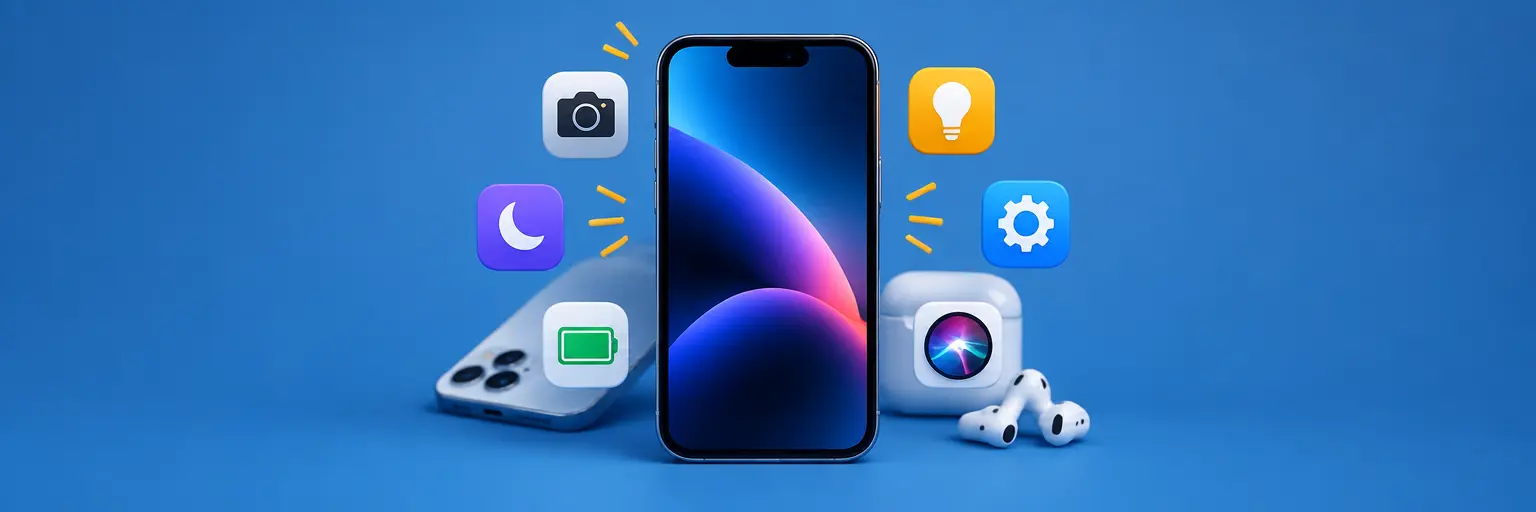
Unlock the hidden potential of your device with iPhone Hacks & Tips—your ultimate guide to smarter, faster, and more secure daily use. From battery-saving tricks and hidden keyboard shortcuts to automation via Shortcuts and privacy-boosting settings, these practical gems help you streamline workflows, reduce screen time, and master iOS like a pro. Whether you’re a newbie or a power user, discover time-saving gestures, customization secrets, and productivity boosters that transform routine tasks into effortless actions—all without jailbreaking. Save minutes every day and optimize your digital life with these simple yet powerful tweaks.
😊Unlock iPhone Control Center shortcuts for effortless productivity! This guide reveals hidden tricks to customize and master your Control Center, saving you…
Read article
😊 Unlock ultimate iPhone efficiency with these game-changing productivity hacks! Master time-saving shortcuts, customize settings for seamless workflows, and discover the best…
Read articleYour iPhone is more than just a phone—it’s a powerful productivity tool waiting to be unleashed. Within the Tech & Digital Hacks category, this subcategory focuses on clever, lesser-known tricks that save you time, extend battery life, streamline notifications, and automate repetitive tasks. Whether you’re a new user or a seasoned pro, these iPhone hacks help you work smarter, not harder, turning daily friction into seamless efficiency.
Maximize every charge with targeted settings tweaks. Expect to learn about Low Power Mode automation, disabling background app refresh for non-essential apps, and using dark mode on OLED screens to cut power drain. We also cover how to identify battery-hogging apps via Settings > Battery and how to reduce motion and transparency for faster animations on older models.
Beyond simple toggles, discover hidden performance tricks like clearing RAM (via AssistiveTouch) and managing storage with offload unused apps. These hacks deliver tangible results—think hours more uptime and snappier response times. You’ll leave with a checklist to audit your iPhone’s energy settings weekly, ensuring consistent peak performance without sacrificing usability.
Speed up repetitive actions using Back Tap gestures (double or triple-tap on the back of your iPhone) to trigger screenshots, voice memos, or custom shortcuts. We’ll also dive into Shortcuts app automations—from scheduling Do Not Disturb when you arrive at work to auto-sending “I’m driving” replies. These are not just time-savers but life-quality upgrades.
Expect step-by-step examples: creating a morning routine shortcut that opens your calendar, news, and weather in one tap. Also, learn text replacement tricks for frequent emails and how to use the magnifier as a reading aid. By the end, you’ll have a library of personalized automations that cut down daily decision fatigue.
Unlock pro-level shooting without extra apps. Discover volume-up burst mode for action shots, live photo long exposure for silky water effects, and using the grid + rule of thirds for better composition. Also learn to scan documents directly in Notes, and use text recognition in photos to copy printed text instantly.
Beyond capture, explore editing hacks like adjusting exposure after the shot, removing objects with the new cleanup tool (on iOS 17+), and creating hidden photo albums with Face ID. We’ll also show you how to free storage by auto-uploading to iCloud and offloading originals. These tips ensure your iPhone becomes a capable camera and scan tool for work and travel.
Regain control over interruptions with Focus modes (Do Not Disturb, Personal, Work). Set custom home screens per focus, filter notifications by app, and schedule them automatically based on time or location. We’ll also explain notification summary—batch non-urgent alerts to a single delivery at your chosen hour, reducing dopamine spikes and check-ins.
Deeper tips include per-app time limits via Screen Time, triggering low-power automation when a focus starts, and using silent icons like hiding notification previews for sensitive apps. You’ll learn to set urgent exceptions so calls and messages from key contacts still break through. This section transforms your iPhone from a constant distraction into a deliberate communication tool.
Protect your data with Advanced Data Protection, Hide My Email, and Check Safety features. Learn to auditis app permissions (location, microphone, camera) via the privacy dashboard, disable tracking across apps, and use Private Relay (with iCloud+) for anonymized browsing. We’ll also show how to set Face ID lock for individual notes and passwords.
Practical security hacks include enabling Stolen Device Protection, using Apple’s Passkeys instead of passwords, and setting up two-factor authentication for your Apple ID. For recovery, create emergency contacts that can restore access. These steps are crucial for remote workers and frequent travelers—keeping your digital life locked down without adding daily friction.
Yes, all hacks in this subcategory use native iOS settings, built-in apps, and Apple-approved Shortcuts automations. No jailbreak or third-party tweaks are required, ensuring your device remains secure and eligible for updates.
Most hacks work on iOS 15 and later. Some, like the cleanup tool or advanced Focus filters, require iOS 17 or newer. We always note compatibility for each tip so you can skip features not supported by your device.
No, they reduce unnecessary power drain, not fast charging or deep discharges. Using Low Power Mode and background refresh limits actually preserves battery health by decreasing heat and chemical stress.
Absolutely. The Shortcuts app offers visual "if this then that" blocks. You can create simple automations like "when I leave home, send a text" with just a few taps—no programming knowledge needed.
Review them monthly or after major iOS updates. Changes in work hours, travel patterns, or new apps may require tweaks. We recommend a 10-minute audit at the start of each month to align settings with your current routine.