Task Management Apps for the Modern World: Stay Ahead of the Curve
😊 Overwhelmed by your to-do list? Discover the best task management apps 2024 to streamline your workflow, boost productivity, and reclaim your…
Read article
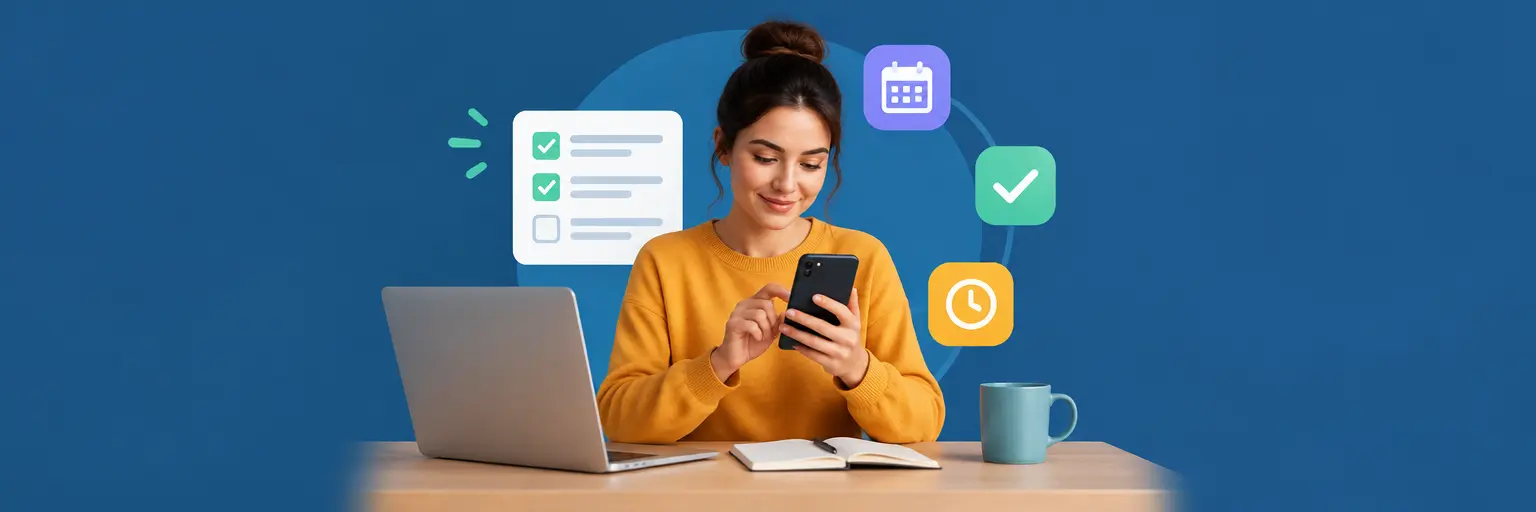
Master your busy schedule with the best task management apps—the ultimate tech hack for turning chaos into clarity and boosting your daily efficiency. From intuitive to-do lists to advanced project tracking, these digital tools help you prioritize, automate reminders, and sync tasks across all devices, so you never miss a deadline again. 🚀 Discover insider tips on choosing the perfect app for your workflow, hidden features that cut planning time in half, and simple strategies to stay focused and guilt-free. Whether you’re a freelancer, student, or busy professional, unlock the power of smarter task organization and reclaim hours every week. Start optimizing today! 📱✅
😊 Overwhelmed by your to-do list? Discover the best task management apps 2024 to streamline your workflow, boost productivity, and reclaim your…
Read article
😊 Overwhelmed by your to-do list? Learn how to delegate tasks using apps to boost productivity and reclaim your time. Master the…
Read articleWelcome to the ultimate guide on using task management apps—your digital command center for conquering daily chaos. In this subcategory of Tech & Digital Hacks, we dive deep into the tools that transform overwhelming to-do lists into actionable, achievable steps. Whether you’re a busy professional, a student, or a home organizer, mastering these apps can slash time spent on planning and boost your efficiency by up to 40%. Discover how to pick the right app, set up smart workflows, and integrate automation to make your day flow effortlessly.
Not all task apps are created equal. Some excel at simple checklists, while others offer complex project timelines. Your choice should align with your personal workflow—visual thinkers love Kanban boards like Trello, while linear planners prefer list-based apps like Todoist. Evaluate factors like cross-platform sync, offline access, and collaboration features. Test free tiers first to see if the interface reduces friction, not adds to it. Remember, the best app is the one you’ll actually open daily.
Start by listing your core tasks—errands, work projects, or recurring habits. Then match each to an app’s strengths: for deadline-driven work, try Asana or ClickUp with dependencies; for quick captures, use Google Keep or Microsoft To Do. Avoid feature bloat; a simple app with reliable notifications beats a complex one you ignore. Use a 7-day trial with real tasks to judge effectiveness. Finally, ensure your chosen app integrates with your calendar and email to centralize your life.
Capture is the first step—use apps with “quick add” via voice, widget, or email forwarding. Then organize using projects, tags, and priorities. Most apps allow custom filters, smart lists, and recurring tasks, which save hours weekly. Implement the “two-minute rule”: if a task takes under two minutes, do it immediately; otherwise, log it. Use deadlines and reminders strategically to avoid notification fatigue. A well-organized app acts as your second brain, reducing mental clutter and stress.
Labels and color-coding help visually separate work, personal, and urgent items. But avoid over-categorization; stick to 2-3 levels deep. Use natural language processing—many apps convert phrases like “every Friday at 9am” into recurring tasks. Also, enable location-based reminders for errands, such as “when I leave work, remind me to buy milk.” Master keyboard shortcuts on desktop and swipe actions on mobile for speed. These tiny optimizations compound into major time savings daily.
Elevate your task management by pairing it with time blocking—schedule specific hours for tasks directly in the app or integrated calendar. Use priority matrices (Eisenhower or MoSCoW) to focus on high-impact work first. Automate recurring tasks and dependency chains to avoid manual updates. Many apps offer templates for weekly planning, sprint reviews, or habit tracking. These workflows turn a simple to-do list into a proactive productivity system that adapts to your energy levels.
Set up automation like “when a task is marked complete, move the next one to today.” Use app integrations like Zapier or IFTTT to sync tasks with your email, Slack, or CRM. For example, email-flagged items become tasks automatically. Also, batch similar tasks (e.g., all calls, all admin) to reduce context switching. Review your workflow weekly—remove obsolete tasks and reprioritize. This keeps your system lean and prevents overwhelm. The goal is to spend less time managing tasks and more time executing them.
Many users abandon task apps due to over-engineering or input fatigue. Avoid the trap of entering every minor detail—stick to outcomes, not micro-steps. Also, beware of “app hopping”; commit to one system for at least a month. Notification overload is a silent killer; customize alerts to only urgent matters, and schedule a “quiet hours” mode. Another pitfall is forgetting to review completed tasks, which provides feedback and motivation. Simplify your lists daily, not weekly, to prevent backlog build-up.
To prevent digital burnout, limit your app usage to set times—morning planning and evening review. Use the “brain dump” technique: capture everything, then filter ruthlessly. If you find yourself spending more than 10 minutes a day on organization, you’re overcomplicating. Uninstall apps with redundant features. Also, integrate physical analogs—like a whiteboard for the top three priorities—to keep perspective. Remember, the app serves you, not vice versa. Regular maintenance, like archiving completed projects, keeps your workspace clean and mentally fresh.
Maximum productivity comes from synergy. Sync your task app with Google Calendar or Outlook to see your day at a glance. Use email-to-task features (e.g., “cc your app’s address”) to turn incoming requests into actionable items. Pair with habit trackers like Habitica or Streaks to gamify routines. Many apps offer browser extensions to save links as tasks. This ecosystem eliminates duplicate entries and ensures no task slips through the cracks. Start with one integration, then expand gradually.
For advanced users, use “context-based” views—show tasks tagged “work” during office hours, and “home” after. Integrate with voice assistants like Alexa or Siri for hands-free capture. Use calendar API to auto-block focus time based on task estimates. For teams, link tasks to shared docs or boards to enhance collaboration. Regularly audit your integrations: remove those that cause lag or confusion. The result is a seamless flow where you manage tasks in seconds, not minutes, leaving more time for deep work and life.
For beginners, start with Microsoft To Do or Todoist. They offer intuitive interfaces, basic recurring tasks, and cross-platform sync without overwhelming features. Both have free tiers with enough functionality to build a habit. Start with simple lists and gradually explore labels and reminders.
Enable notifications and location-based alerts for critical tasks. Always perform a daily 5-minute review each morning to capture new tasks and reassess priorities. Use the “quick capture” feature—if you think of something, log it immediately, even imperfectly, then refine later.
Yes, for many they can, as long as you use time blocking and recurring features. However, some prefer writing for memory retention. Use a hybrid: keep a paper planner for weekly overviews and the app for day-to-day details. Both systems can coexist.
Most apps like Todoist and Asana have built-in calendar sync. Go to settings, connect your Google account, and select a two-way sync or one-way export. You can then view tasks as time blocks on your calendar, but ensure you set task durations to avoid overlap.
Procrastination often stems from vague tasks or lack of motivation. Break tasks into smaller, concrete steps. Set a 10-minute timer to start. Use apps that show progress, like rewards or streaks. Also, review your “why” behind tasks—alignment with values boosts follow-through.