Ergonomic Desk Bliss: How to Choose the Perfect Organizers
😊 Conquer desk clutter and boost productivity with the best ergonomic desk organizers! This guide reveals how to select the perfect organizers…
Read article
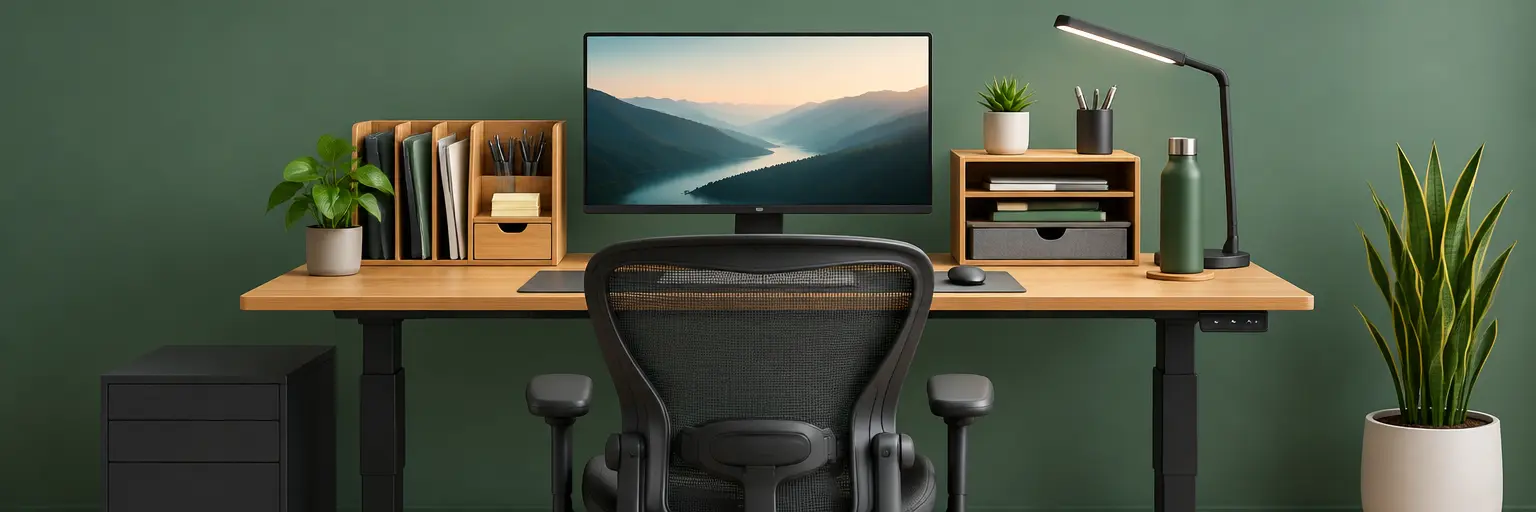
Transform your cluttered desk into a streamlined command center with ergonomic home office furniture designed for both comfort and maximum space efficiency. From sleek monitor risers that align your screen to eye level, preventing neck strain, to multi-tiered desk organizers that keep pens, cables, and sticky notes within effortless reach—these space-saving solutions are engineered to reduce wasted motion and boost focus. Discover vertical file holders that reclaim precious surface area, adjustable laptop stands that promote better posture, and under-desk sliding trays that hide away keyboards or paperwork when not in use. Whether you’re battling a tiny home office or simply crave a tidier workflow, our curated picks prioritize ergonomic support and smart storage, helping you clear visual clutter, speed up task switching, and maintain energy throughout the day. Upgrade your workspace with tools that work as hard as you do—because a well-organized, body-friendly desk isn’t just a luxury; it’s a productivity hack that pays off every single hour.
😊 Conquer desk clutter and boost productivity with the best ergonomic desk organizers! This guide reveals how to select the perfect organizers…
Read article
😊 Combatting backaches and boosting productivity starts with your workspace. Discover the crucial ergonomic desk organizer benefits for improved posture, reduced strain,…
Read article
😊 Conquer clutter and reclaim your workspace! Discover the best desk organizer space savers to boost productivity. Maximize efficiency with practical solutions…
Read articleTransform your cramped workspace into a productivity powerhouse with ergonomic desk organizers and space-saving furniture. At UltimateLifeHacks, we know that clutter kills focus—studies show a tidy desk boosts efficiency by 20%. This subcategory dives into smart, practical solutions to reclaim your desk real estate, reduce physical strain, and streamline your daily workflow. From vertical monitor stands to cable management systems, these hacks are engineered for comfort, order, and speed. Discover how small adjustments can drastically improve your posture, reduce distraction, and make every square inch of your office work harder for you.
When floor space is tight, look up. Vertical organizers—stacked trays, wall-mounted shelves, and pegboards—turn unused wall height into prime storage. This approach keeps essential files, notebooks, and devices within arm's reach without crowding your active work zone. Ergonomic benefits include reducing forward reaching, which minimizes shoulder strain. Choose adjustable models to fit your laptop, tablet, and documents. Pair with labeled bins to slash search time by half. This setup is ideal for small apartments, shared desks, or minimalist home offices. Prioritize lightweight materials like bamboo or aluminum for easy relocation. Your back will thank you for eliminating constant bending.
Implementing a vertical system also supports a clean, visual workflow. Use a tiered riser to elevate your monitor to eye level, which corrects neck posture, while the lower tier stores pens, sticky notes, and small gadgets. Add a magnetic strip on the wall for scissors and clips—zero desk footprint. For cables, run them behind the riser to avoid tangling. This space-saver hack is a low-cost, high-impact upgrade. You'll experience fewer interruptions because everything has a designated spot. This organized layout directly supports the UltimateLifeHacks mission: do more with less effort, and keep your energy for deep work, not hunting for tools.
Corners are often wasted dead zones. A corner desk or L-shaped workstation transforms this awkward space into a functional command center, freeing up central floor area for movement. Ergonomic designs now feature curved edges to prevent wrist pressure and adjustable heights to align with your chair. Look for models with built-in cable trays and sliding keyboard shelves to keep posture neutral. This compact footprint lets you add a second monitor or a small printer without overcrowding. Ideal for those who need separate zones for computer work and paperwork—boosting multitasking efficiency while maintaining order.
Space savers like fold-down wall desks or rolling carts offer flexibility for tiny rooms. When not in use, fold the desk flat to create extra floor space for yoga or family time. Rolling carts act as mobile organizers—wheel them to the sofa for a break or tuck them under a stand-up desk. Prioritize stability: reinforce with anti-slip pads and weight limits. This approach reduces visual clutter and mental load. By reclaiming that corner, you also improve airflow and natural light exposure, which are proven to increase alertness. This is a smart investment for productivity-focused remote workers who refuse to sacrifice style for function.
Tangled cables are a silent productivity killer and a safety hazard. Implement cable management with adhesive clips, under-desk trays, and braided sleeves to consolidate wiring. This not only saves valuable desk surface but also prevents accidental disconnections that interrupt your work flow. Ergonomic benefits include reducing eye strain from cluttered visuals and eliminating tripping risks. Use a power strip with USB ports and mount it to the underside of your desk—this frees up access and shortens cable runs. Label each cable for quick troubleshooting. This invisible hack makes your workspace appear larger and more professional instantly.
For a truly streamlined setup, invest in a cable management box that hides surge protectors and excess lengths. Combine this with a wireless charging pad to eliminate phone and mouse cables entirely. Place the pad on a raised stand to keep your screen at eye level while charging—multipurpose efficiency. Regularly audit your cables monthly; remove unused ones to prevent new clutter. This practice aligns with the UltimateLifeHacks philosophy of continuous micro-optimization. By minimizing visual noise, you create a calm environment that supports deep concentration for hours. Plus, it’s easier to dust and clean, which reduces allergies and maintains a healthier workspace.
Why have one tool when it can do two jobs? Invest in multi-functional accessories like a monitor stand with built-in drawers, a laptop stand that doubles as a document holder, or a mouse pad with a wrist rest and cable groove. These hybrids save desk space and reduce the number of items you need to purchase—lowering cost and maintenance. Ergonomic designs prioritize adjustable angles for both viewing and writing tasks, promoting natural wrist angles and reducing neck flexion. Choose products with non-slip bases for stability. This clever curation eliminates redundancy, letting you work with fewer, smarter tools.
Consider a desk organizer with a integrated cup holder, pen tray, and phone slot—one unit replaces three. Or a keyboard tray that slides out from under the desk, creating instant temporary space for sketching. Magnetic whiteboards attach to the side of your desk for sticky notes, freeing your front area. These space savers are perfect for creative pros who switch between typing, drawing, and calls. By consolidating functions, you also reduce decision fatigue—you know exactly where each item lives. This intentional design boosts daily efficiency, turning your desk into a seamless extension of your mind. That’s the core promise of UltimateLifeHacks: smarter, not harder.
Modular storage systems—stackable cubes, adjustable shelving, and pegboard kits—let you customize your layout as your needs evolve. Unlike fixed furniture, these adapt to seasonal projects or growing equipment. Ergonomic benefits include positioning frequently used items at waist-to-shoulder height, preventing repetitive reaching and twisting. Use clear bins or open fronts for instant visual access. Anchor tall units to the wall for safety. This flexibility is a game-changer for home offices that double as craft rooms or study areas. You can expand or shrink the system without buying new furniture, saving money and landfill waste.
For maximum space efficiency, install a sliding track shelving unit that tucks into a narrow gap between your desk and wall. This hidden storage holds printers, scanners, or archive files. Use door-mounted over-the-door racks for small supplies. Adjustable tension rods under desks create instant feet rest or organize cables. These space savers work brilliantly in rental spaces where drilling is limited—use adhesive hooks and wire grids. Regularly reassess your storage needs monthly; shift items to the most logical reach zone. This dynamic organization keeps your workflow fluid and reduces stress, perfectly matching the UltimateLifeHacks goal of building a frictionless daily routine.
A vertical desk organizer with tiers is best for small spaces. It stacks documents, devices, and pens upward, freeing up lateral space. Choose one with adjustable compartments to fit your specific items. Pair with a wall-mounted pegboard for even more capacity without expanding your desk footprint.
They elevate your monitor to eye level and keep your wrists straight via padded rests. This reduces forward head posture and wrist strain. By positioning essentials within a 15-inch reach zone, you minimize twisting and overreaching, which lowers muscle fatigue and long-term injury risk.
Yes, if you choose solid materials like powder-coated steel or bamboo. Look for weight ratings above your equipment. Avoid cheap plastic that cracks. Reinforce joints with screws, not glue. Proper assembly and periodic tightening ensure longevity, making them reliable for years of daily work.
Absolutely. Visual clutter from cables increases cognitive load and distracts your brain. Eliminating tangles reduces time spent plugging and unplugging, which interrupts flow. An organized cable system also prevents accidents and makes cleaning faster, giving you more time for focused work.
Use a monitor arm with a clamp base to free up desk surface. Attach a compact tray under the desk for keyboards when sitting. Use magnetic cable clips that move up and down with the desk. This keeps everything ergonomic at both sit and stand heights, maximizing versatility.