Protect What Matters Most: StepbyStep Guide to Building Your Own Security System
😊 Boost your home's safety and save money with our comprehensive DIY home security system guide! Learn step-by-step how to build a…
Read article
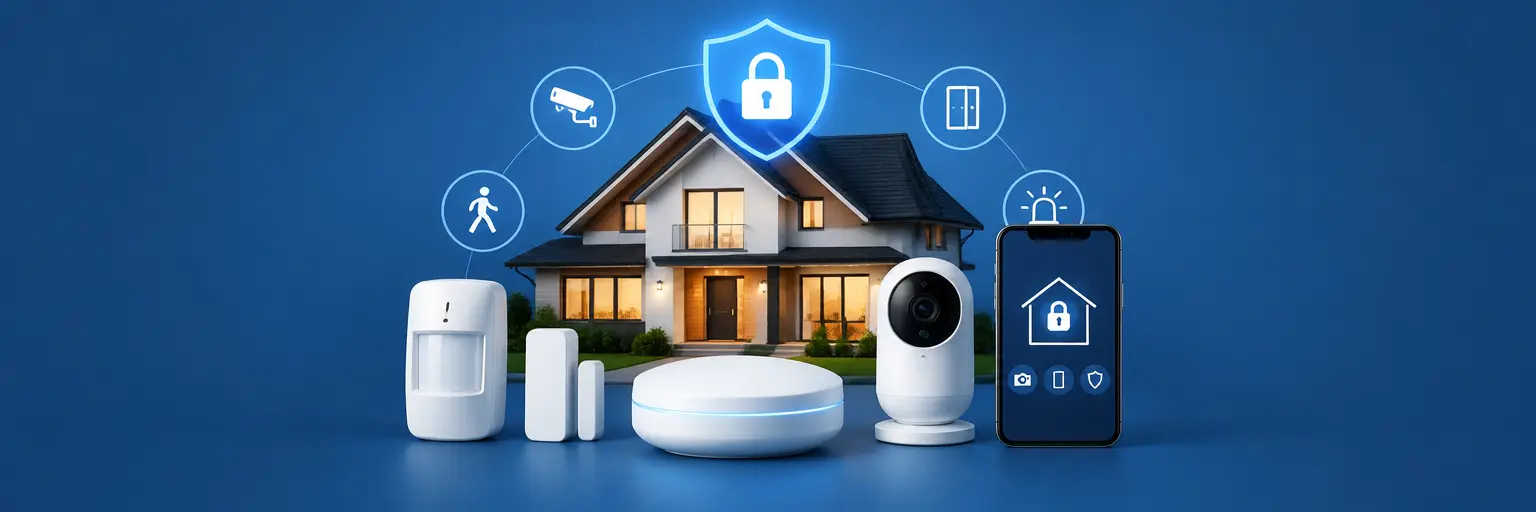
Transform your home into a fortress without breaking the bank or calling a technician. DIY smart home security systems now offer professional-grade protection with simple, app-driven setups that take minutes, not days. Whether you’re a renter, a first-time homeowner, or a busy parent, these wireless sensors, cameras, and smart locks let you monitor every door, window, and corner from your phone—anywhere, anytime. Skip the monthly fees and long-term contracts; today’s best kits are scalable, battery-powered, and voice-assistant friendly, making them the ultimate life hack for peace of mind. From motion alerts to two-way audio and cloud storage, you’ll get instant notifications and real-time video without the headache of complex wiring. Perfect for busy schedules, these systems prioritize quick installation and intuitive controls, so you can secure your space while saving time and money. Ready to sleep better and streamline your routine? Dive in to discover which DIY setup matches your lifestyle, budget, and tech comfort—and start protecting what matters most today.
😊 Boost your home's safety and save money with our comprehensive DIY home security system guide! Learn step-by-step how to build a…
Read article
😊 Boost your home's safety without breaking the bank! This guide reveals surprisingly effective and cheap DIY home security systems, offering practical,…
Read article
🤔 Unlock surprisingly effective, affordable DIY home security system tips the pros often overlook. Learn simple, yet powerful strategies to boost your…
Read articleWelcome to UltimateLifeHacks, where we turn everyday safety into a streamlined, stress-free process. In this dedicated subcategory, we explore the finest DIY home security systems that empower you to protect your family, property, and peace of mind without expensive contracts or professional installation. Whether you’re a tech-savvy homeowner or a busy renter, these smart security solutions blend seamlessly into your daily routine, offering remote monitoring, instant alerts, and effortless automation—all designed to save you time and boost efficiency. Let’s dive into the best options that fit your lifestyle and budget.
DIY home security systems have revolutionized the way we approach safety. Unlike traditional professional setups, which often involve long-term contracts, costly installation fees, and rigid equipment, DIY systems offer flexibility, affordability, and full control. You can customize your kit to match your home’s layout, add or remove sensors as needed, and install everything in under an hour—no technician required. This approach aligns perfectly with a productivity-focused mindset: you invest a little time upfront to gain lifelong convenience and peace of mind.
Moreover, most DIY systems integrate effortlessly with smart home ecosystems like Alexa, Google Assistant, or Apple HomeKit. This means your security camera, doorbell, and motion sensors can work in harmony with your lights, locks, and thermostats, creating a truly automated environment. For the practical life hacker, this translates into automated routines—like having your porch light turn on when motion is detected or receiving a smartphone alert the moment your kid arrives home from school. The result is a safer home with zero daily friction.
Security cameras are the backbone of any smart home security system, and today’s DIY models are more intelligent than ever. Look for features like 2K or 4K resolution, night vision, two-way audio, and AI-powered person detection to reduce false alarms. Popular options include the Wyze Cam v4, Arlo Pro 5S, and Ring Stick Up Cam, each offering distinct strengths—whether it’s budget-friendly pricing, battery longevity, or advanced motion zones. For outdoor coverage, weatherproof cameras with siren capabilities add an extra layer of deterrence.
When integrating cameras into your routine, consider placement strategically: front doors, back entrances, and garage access points are prime spots. With cloud or local storage options, you can review footage instantly from your phone or tablet, enabling quick decisions—like checking if that package was delivered or if a stranger is lingering near your property. Pairing cameras with a smart hub (like a base station or Wi-Fi router) ensures a stable connection and instant push notifications, so you’re always in the loop, even when you’re miles away.
Your front door is the most common entry point, making a smart video doorbell a must-have DIY upgrade. Devices like the Ring Video Doorbell 4 or Google Nest Doorbell offer high-definition video, package detection, and pre-recorded quick replies when you’re busy. They double as a deterrent—visitors see they’re being recorded, which discourages porch pirates and solicitors. Additionally, motion sensors placed near windows, sliding doors, and hallways trigger instant alerts the moment unusual movement is detected, giving you real-time awareness of your home’s perimeter.
These add-ons integrate beautifully with your existing smart home gadgets. For example, you can program your indoor lights to flash when motion is detected outdoors, or have your smart speaker announce “Front door motion detected” as an auditory cue. This hands-free monitoring saves you from constantly checking your phone, letting you focus on tasks at hand while staying safe. Many systems also offer geofencing, which arms or disarms your security automatically based on your phone’s location—so you never forget to activate your system when leaving or arriving.
To truly maximize your DIY security, investing in a reliable smart hub is a game changer. Devices like the Samsung SmartThings Hub, Hubitat, or a compatible Wi-Fi router consolidate all your sensors, cameras, and locks into one centralized platform. This eliminates app clutter and enables complex automations, such as “Goodnight” mode that locks doors, turns off lights, and arms sensors with a single voice command or tap. For the efficiency-focused user, this means less time managing separate apps and more time enjoying a seamlessly secure home.
Beyond hubs, consider multi-purpose sensors: water leak detectors, smoke/CO alarms, and tilt sensors for windows and doors. These small but mighty devices protect against non-intrusive threats, alerting you immediately to a leak under the sink or an open window during a storm. Combining these with your security system creates a holistic safety net. Best of all, many DIY kits are expandable—you can start with a basic package and add components as your needs grow, ensuring you never overpay for features you don’t use.
DIY security isn’t one-size-fits-all, and pricing varies significantly. Budget-friendly options like the SimpliSafe 8-Piece Kit or Ring Alarm Starter Kit offer solid protection for under $250, including a base station, entry sensors, and a keypad. These are ideal for renters or those testing the waters. On the premium side, systems like Abode Smart Security Kit or Eufy Security Pro combine high-end hardware with advanced encryption and local storage, avoiding monthly fees entirely. The key is to evaluate your risk level, home size, and tech comfort before committing.
When comparing, pay attention to ongoing costs—some brands charge a monthly subscription for cloud storage, AI features, or professional monitoring. However, many top DIY systems allow self-monitoring for free via smartphone alerts, saving you hundreds annually. For the cost-conscious life hacker, this is a massive win. I recommend starting with a starter kit that covers entry points, then layering in cameras and sensors as your budget allows. This modular approach lets you scale up intelligently without wasted expenditure, matching your security needs to your actual daily routine.
One of the biggest advantages of DIY systems is the straightforward installation process—no drilling complex wiring or hiring professionals. Most kits come with adhesive mounts, screws, and clear step-by-step guides or app tutorials. On average, a full installation takes 30 to 60 minutes, depending on the number of components. For ultimate efficiency, place your hub near your router, then pair all sensors within 10 minutes using a simplified pairing process. Always test each sensor after mounting to ensure proper alignment and connectivity.
Daily use is just as simple: monitor everything from a single mobile app, set arming modes (Home, Away, Night) with a slider, and receive real-time notifications. To incorporate this into your productivity routine, schedule a weekly health check—for example, every Sunday, verify battery levels and test the siren. Many systems offer battery life of 6-12 months, so occasional changes are minimal. Finally, integrate your security with voice assistants to avoid fumbling for your phone; just say, “Alexa, arm security,” and you’re done. This hands-free approach saves seconds each day, compounding into meaningful time saved each year.
No, most DIY systems offer optional professional monitoring for a monthly fee, but you can easily self-monitor via smartphone alerts for free. This flexibility lets you decide if you want human backup or prefer to handle notifications yourself.
Absolutely. Since most sensors use adhesive tape or small screws, they’re renter-friendly. Just be sure to check your lease for any restrictions, and opt for no-drill mounts to avoid damaging walls.
Yes, the majority of popular systems support Amazon Alexa, Google Assistant, and Apple HomeKit. You can link cameras, locks, and lights to create unified routines—like flashing indoor lights when motion is detected outside.
Many DIY systems have cellular backup or local storage that continues recording during outages. Sensors like door/window contacts may still trigger a local siren, but remote alerts will pause until connectivity returns. Choose a model with cellular backup for uninterrupted monitoring.
Battery life varies by device and usage, but most entry sensors and motion detectors last 6 to 12 months. Cameras with battery packs may last 3-6 months with heavy use. The app will alert you when levels are low, letting you replace them in under five minutes.