Unlock Peak Productivity: Why a Standing Desk is the Best Investment for Your Home Office
😊 Transform your home office productivity with a standing desk! Boost energy, improve focus, and unlock peak efficiency by ditching the chair…
Read article
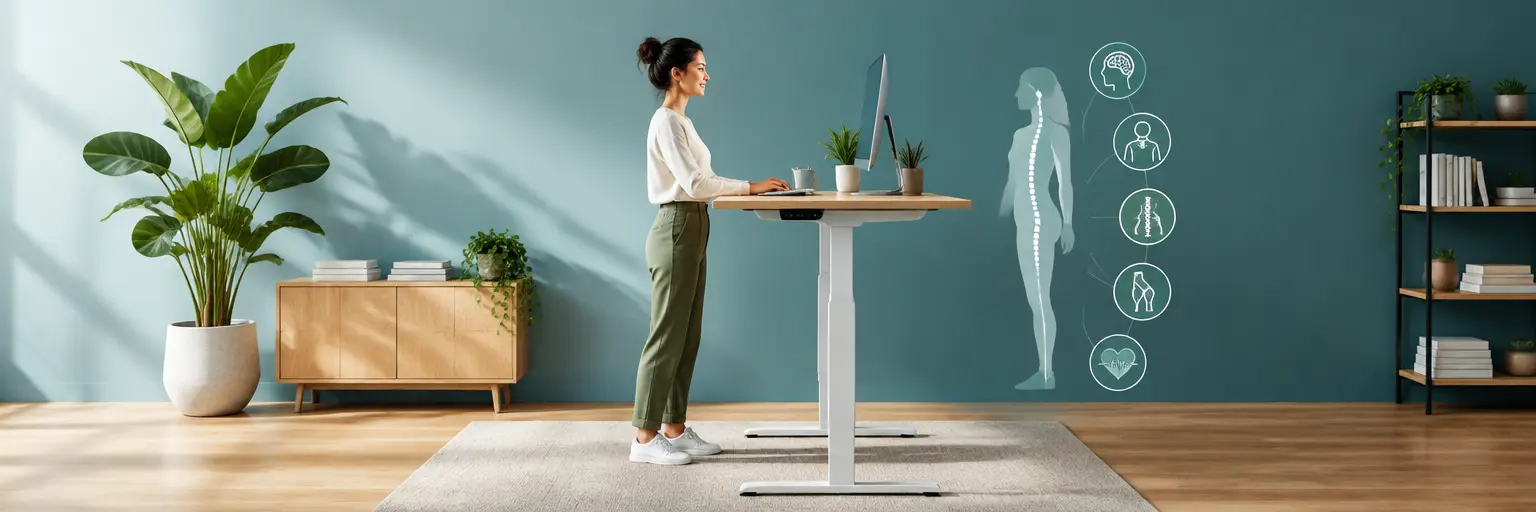
Transform your workspace into a wellness hub with ergonomic standing desks—the ultimate life hack for breaking the cycle of sedentary hours and boosting both energy and focus. By alternating between sitting and standing, you improve posture, reduce back pain, and supercharge productivity without sacrificing comfort. Whether you’re a remote worker, a gamer, or a creative, these desks let you customize height at the touch of a button, making every project feel lighter and every deadline more manageable. Say goodbye to afternoon slumps and hello to dynamic, health-first workdays. Perfect for anyone ready to optimize their daily routine, our pick of standing desks and accessories ensures you move more, stress less, and achieve peak performance—right from your home office.
😊 Transform your home office productivity with a standing desk! Boost energy, improve focus, and unlock peak efficiency by ditching the chair…
Read article
🤔 Ditch the desk chair doldrums! Unlock standing desk home office benefits like increased energy, improved posture, and boosted productivity. Transform your…
Read article
🤔 Stop wasting time searching! This guide unveils how to find the best standing desk perfectly tailored to *your* specific workspace and…
Read articleTransforming your home office into a productivity powerhouse starts with the foundation beneath your fingertips. Standing desks—or height-adjustable desks—are no longer a trend but a necessity for anyone battling the 9-to-5 desk slump. On UltimateLifeHacks, we dive into practical, research-backed ways to reduce back pain, boost energy, and reclaim focus by integrating movement into your workday. This guide covers everything from choosing the right frame to optimizing your standing posture, ensuring your workspace works *for* you, not against you.
Sitting for prolonged hours has been linked to metabolic slowdown, poor circulation, and chronic back strain. Standing desks combat this by allowing you to alternate between sitting and standing, which keeps your muscles engaged and your blood flowing. Research suggests that just two hours of standing daily can reduce fatigue and improve mood. Key benefits include lower risk of musculoskeletal disorders, enhanced calorie burn, and better posture alignment. For productivity enthusiasts, this translates to sharper focus and fewer mid-afternoon crashes.
When you stand, your core muscles activate naturally, supporting your spine and reducing pressure on lumbar discs. This isn’t just about comfort—it’s about longevity. By investing in a standing desk, you’re making a daily micro-habit that compounds into long-term health gains. Pair it with a supportive anti-fatigue mat, and you’ll notice reduced leg swelling and improved energy levels. Whether you’re a writer, coder, or remote manager, the shift from static to dynamic sitting is a life hack your future self will thank you for.
Not all standing desks are created equal. Consider electric vs. manual crank, weight capacity, and desktop size. Electric desks offer seamless height adjustment with memory presets, ideal for frequent transitions. Manual crank models are budget-friendly and need no power outlet, perfect for minimalist setups. Measure your room’s footprint—compact L-shaped desks fit corners, while rectangular 48-inch tables suit single-monitor users. Look for a sturdy steel frame that supports at least 150 lbs to handle monitors, laptops, and desk organizers without wobble.
Durability matters, but so does aesthetics. A bamboo or walnut top adds warmth, while a matte white finish brightens small spaces. Check for cable management trays and grommet holes to keep cords hidden—a clutter-free desk boosts mental clarity. Also, verify the height range: the lowest setting should match your elbow height when seated, and the highest should let your wrists rest flat while standing. Many top brands include a 10-year warranty, but UltimateLifeHacks recommends reading user reviews for noise levels and stability at max height.
Simply standing isn’t enough; you need correct ergonomics to avoid straining your neck or wrists. Your monitor’s top edge should align with eye level, and your keyboard should sit at elbow height with forearms parallel to the floor. When standing, your feet should be shoulder-width apart, knees slightly bent, and weight evenly distributed. Pro tip: place your monitor 20-30 inches from your eyes to reduce eye strain. Use a footrest to shift weight alternately, and keep your mouse close to your body to prevent reaching.
Switch positions every 30–45 minutes—this is the golden rule. Set a timer to alternate between sitting and standing, easing into standing durations gradually. Use an anti-fatigue mat to cushion your joints, and consider a balance board for subtle micro-movements. Remember, ergonomic accessories like a floating monitor arm or a detachable numeric keypad can further refine your setup. Your goal is to maintain a neutral spine where ears, shoulders, and hips align vertically—this single habit prevents repetitive stress injuries and keeps you productive all day.
Standing desks boost productivity by making you more conscious of your body, but you can amplify this with strategic hacks. Combine standing with walking meetings by using a treadmill desk attachment—this burns extra calories while brainstorming. Use a password-protected timer app (like StandUp!) to remind you to change positions. Pair your desk with a sit-stand stool to lean back briefly without fully sitting—this keeps your hips open and blood flowing. Also, place a water bottle at arm’s reach; hydration naturally increases your need to stand and stretch.
Structure your day with “active work zones”: stand during emails, online research, and calls; sit for deep-focus writing or coding. This rhythm prevents monotony and keeps your brain engaged. For creative tasks, standing often sparks fresh ideas—try brainstorming on your feet with a whiteboard nearby. Also, reduce screen glare by positioning your desk perpendicular to windows. Finally, keep a pair of sneakers under your desk; switching from slippers to supportive shoes can dramatically reduce foot fatigue during long standing sessions.
You don’t need to spend $500+ to reap the benefits. DIY options include stacking sturdy boxes, using an adjustable laptop stand on a kitchen counter, or converting a regular desk with a desktop riser that manually cranks. These cost under $100 and work well for test-driving the concept. For a more permanent yet affordable solution, look for used electric desks on marketplace sites—many office liquidators sell them at 50% off. Another hack: buy a compact standing desk converter that sits on your existing desk, providing variable heights without replacing your furniture.
If you’re handy, build a simple pipe-frame desk using galvanized steel pipes and a solid wood board—this costs about $80 and is highly customizable. Consider a zero-gravity chair that converts to standing positions, but honestly, a dedicated height-adjustable desk is worth the investment if you work 40+ hours weekly. Check for student or healthcare worker discounts from major brands like Uplift or FlexiSpot. Remember, the cheapest standing desk you use every day beats an expensive one that sits unused in storage. Start small, measure your progress, and upgrade gradually as your habits solidify.
The ripple effects of a standing desk extend far beyond back pain relief. Studies show that alternating between sitting and standing can reduce blood sugar spikes after meals by up to 30%, especially beneficial for those with sedentary jobs. Standing also increases heart rate slightly, boosting metabolic rate and promoting better fat utilization. Many users report heightened alertness and reduced afternoon drowsiness, making it easier to tackle complex tasks. For remote workers, this improves collaboration and decision-making across time zones.
Over weeks, you’ll notice improved shoulder flexibility and reduced “tech neck.” The key is consistency—start with 15-minute standing intervals and gradually build up. Pair your desk with breathing exercises or quick stretches during transitions; your mind will associate standing with productivity, creating a positive feedback loop. Ultimately, standing desks aren’t just furniture; they are behavioral nudges that support a more active, intentional lifestyle. By embedding movement into your workspace, you’re investing in a healthier neurological environment that sustains high performance for years to come—truly a life hack for peak efficiency.
For a 5’8” person, the desk height when standing should be around 40–42 inches from the floor to the desktop surface. Your elbows should rest at a 90-degree angle while typing, and your monitor’s top should be at eye level. Use the desk’s adjustable legs to fine-tune—most electric models have a digital display to set precise heights. If your desk doesn’t go low enough, add a footrest or lower your chair to compensate.
Experts recommend starting with 30–60 minutes of standing per day, gradually increasing to 2–4 hours total. Break this into 30–45 minute intervals, alternating with sitting. Listen to your body—if you feel joint or lower back discomfort, sit and stretch. A general rule: stand for one-third, sit for two-thirds, and move every hour. Use a timer to avoid overdoing it, and keep an anti-fatigue mat for support.
Electric desks offer smoother, faster height adjustments and memory presets, making it easier to switch positions frequently. They are ideal for multi-user households. Manual crank desks are more affordable, quieter, and require no electricity—perfect for minimalist setups or if you rarely change height. However, cranking can be tedious if you switch often. Choose electric if budget allows and you value convenience; choose manual if you prioritize simplicity and cost.
Yes, many users report reduced lower back pain because standing decreases pressure on lumbar discs that often compress when sitting for long periods. However, simply standing incorrectly can worsen pain. Ensure your hips are aligned over your feet, arch your lower back slightly, and avoid locking knees. Combine with core-strengthening exercises and regular posture checks. If pain persists, consult a physiotherapist—a standing desk is a tool, not a cure-all.
Essentials include an anti-fatigue mat to cushion your knees and feet, a monitor arm to adjust screen height independently, and a wireless keyboard/mouse to maintain neutral wrist angles. A cable management tray keeps wires tidy, and a footrest aids in posture variation. Optional add-ons: a balance board for micro-movement, a USB hub for easy connectivity, and a desk organizer to declutter. These accessories enhance comfort and ensure you use your standing desk correctly.